Sign in to Entergram
Nội dung này hiện chưa có sẵn bằng ngôn ngữ của bạn.
Entergram has no passwords. You sign in with a one-time code sent to your email, or with Google.
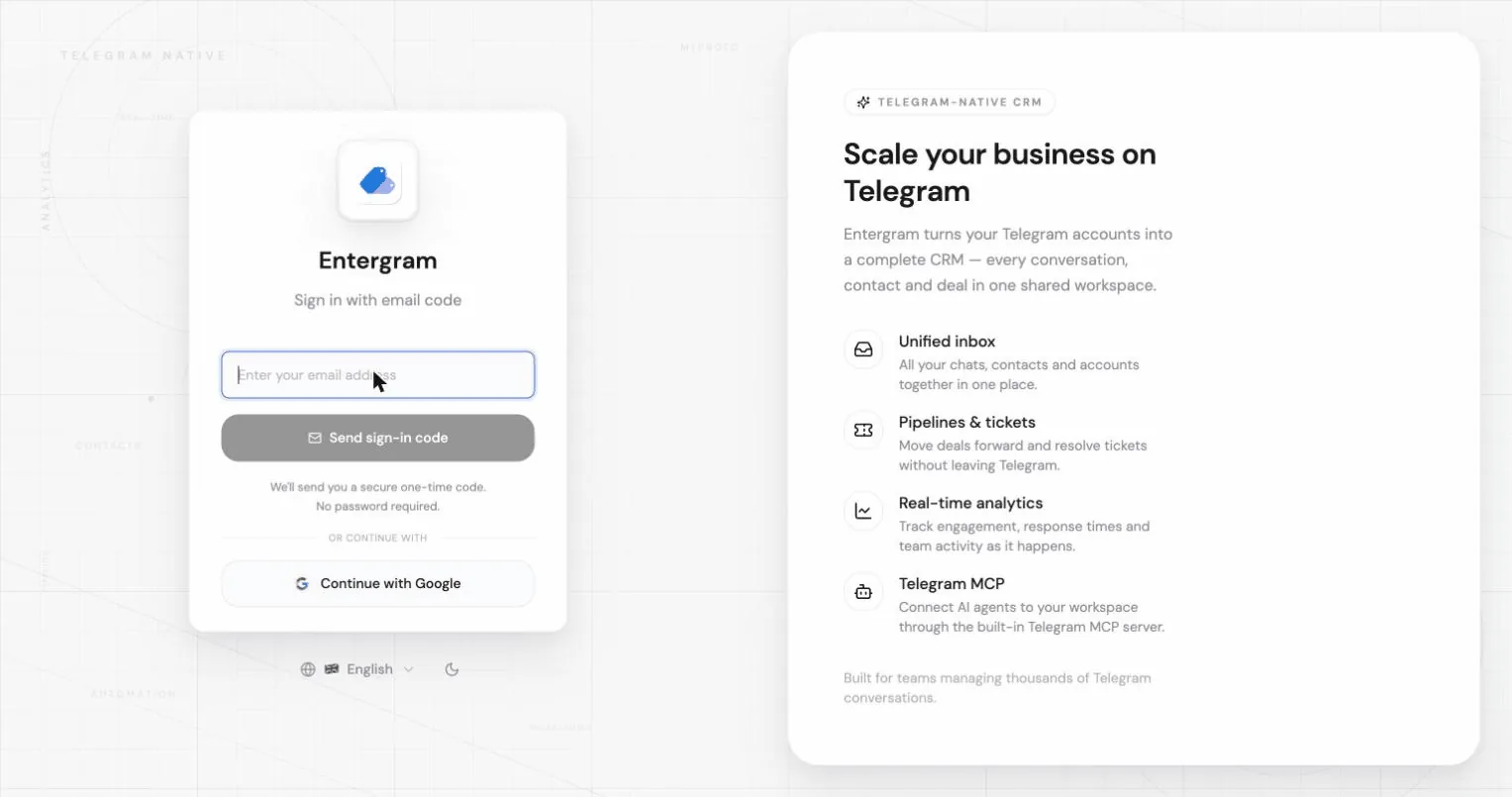
Sign in with an email code
Section titled “Sign in with an email code”- Enter your email address and click Send sign-in code.
- Check your inbox for a 6-digit code. It expires shortly for security.
- Enter the code and click Verify and sign in.
If the code doesn’t arrive:
- Check your spam folder, the app reminds you of this on the code screen.
- Click Resend code. There is a short countdown between resends.
- Use Use another email to start over with a different address.
If you follow an old sign-in link you may see “Sign-in link expired. Please request a new one.”, just request a fresh code.
Sign in with Google
Section titled “Sign in with Google”Click Continue with Google on the sign-in screen and complete the Google prompt.
One active browser at a time
Section titled “One active browser at a time”If you sign in somewhere else, the older browser is signed out and shows:
You were signed out, Your account was opened in another browser. Sign in again to continue here.
This is expected. Sign in again in the browser you want to keep using.
Changing your email address
Section titled “Changing your email address”Go to Settings → Accounts → Your profile and click your email.
- Enter the new address and click Send confirmation.
- Entergram sends a confirmation link to the new address. Depending on your auth settings you may also have to confirm from your current address.
- Until every required confirmation is done, your current email stays active and the new one shows as Pending email change.
You can abandon a pending change with Cancel change, your current email is kept.
Changing your display name
Section titled “Changing your display name”Same panel: click your name, edit it, Save. This name appears across your workspace and settings, and is what teammates see next to your comments and ticket activity.
Related
Section titled “Related”Tùy chọn cookie
Chúng tôi tôn trọng quyền riêng tư của bạn. Hãy chọn cookie muốn cho phép, lựa chọn của bạn áp dụng cho toàn bộ trang web. Chính sách cookie
Cần thiết để trang web hoạt động, gồm cả việc ghi nhớ lựa chọn riêng tư của bạn. Luôn bật.
Giúp chúng tôi hiểu cách trang web được sử dụng và ghi nhận lượt đăng ký cho đối tác giới thiệu. Tùy chọn.