Response time analytics
Know exactly how fast your team replies on Telegram.
Entergram measures your time to first response and reply rate across every connected account, so slow lanes show up as a number you can manage instead of a feeling you argue about.
Every incoming private message is a trigger; in groups, only @mentions and replies to your messages trigger the response clock. A response counts when it arrives within one hour of a trigger. Average first reply includes counted responses only; unanswered triggers lower response coverage but do not increase the average time.
Response time analytics - FAQ
How is average response time calculated?
A response counts when it arrives within one hour of a trigger. Average first reply includes counted responses only; unanswered triggers lower response coverage but do not increase the average time.
- What it measures
- Every incoming private message is a trigger; in groups, only @mentions and replies to your messages trigger the response clock. A response counts when it arrives within one hour of a trigger. Average first reply includes counted responses only; unanswered triggers lower response coverage but do not increase the average time.
- Compare coverage with speed
- Find seats or accounts that answer quickly but miss triggers, then use ticket SLA for service commitments longer than the fixed one-hour message window.
- Every incoming private message is a trigger; in groups, only @mentions and replies to your messages trigger the response clock.
- A response counts when it arrives within one hour of a trigger. Average first reply includes counted responses only; unanswered triggers lower response coverage but do not increase the average time.
- Groups: only @mentions and replies to your messages are triggers.
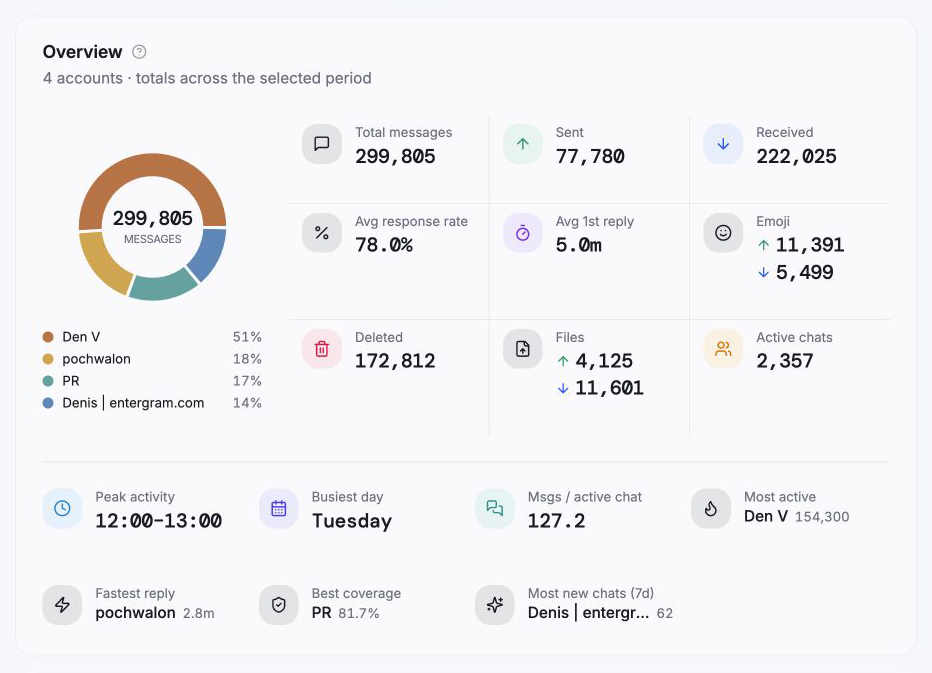
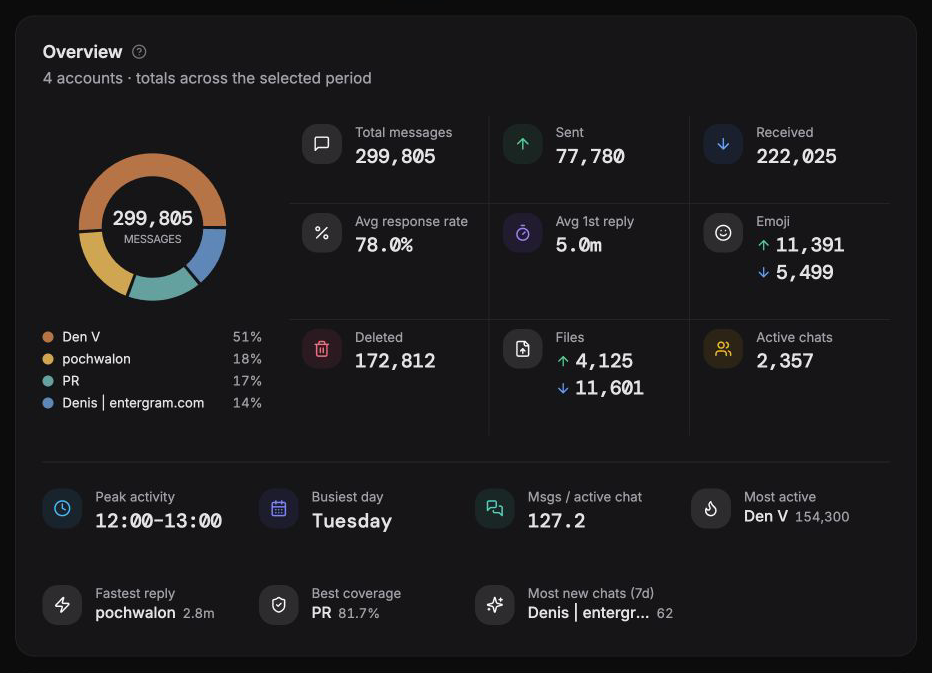
What it measures
Response rate · Average response time
Every incoming private message is a trigger; in groups, only @mentions and replies to your messages trigger the response clock. A response counts when it arrives within one hour of a trigger. Average first reply includes counted responses only; unanswered triggers lower response coverage but do not increase the average time.
- Every incoming private message is a trigger; in groups, only @mentions and replies to your messages trigger the response clock.
- A response counts when it arrives within one hour of a trigger. Average first reply includes counted responses only; unanswered triggers lower response coverage but do not increase the average time.
- Groups: only @mentions and replies to your messages are triggers.
- A reply counts when it arrives within the fixed one-hour response window.
Inside the response report
Every figure is computed from your synced history - no tags, no manual timers, no tracking code.
Response rate
The percentage of conversations that got a reply - e.g. 774 of 1,062 - so you can see coverage at a glance and catch conversations that slipped through.
Average response time
Your mean time to first response across the selected accounts, shown alongside the conversation count it's averaged over.
What it measures
Every incoming private message is a trigger; in groups, only @mentions and replies to your messages trigger the response clock.
Per-account or per-seat comparison
In workspace mode, group the same metrics by Telegram account or by seat and sort the table to find weak coverage or a slow average.
Single account or rollup
Measure one inbox, a handful of accounts, or your whole team - the response figures recompute for whatever selection you pick.
Always current
As new messages sync in the background, response time and reply rate update themselves. There's nothing to refresh or recalculate.
From connected account to response review in four steps
No pixel, no tagging - connect an account and the math runs itself.
- 01
Connect a Telegram account
On Pro (and the free 3-day trial), analytics switches on the instant you connect. Nothing to configure.
- 02
History syncs in the background
Entergram pulls your past conversations and keeps them current; a Syncing badge shows until the first pass finishes.
- 03
Read your response time
The response card shows average time to first response and reply rate for the accounts you've selected.
- 04
Compare coverage with speed
Find seats or accounts that answer quickly but miss triggers, then use ticket SLA for service commitments longer than the fixed one-hour message window.
Why Telegram response time analytics matter
Telegram does not give teams a native view of first-reply performance across several connected accounts. Entergram makes that work measurable by showing the average first-reply time, response coverage and trigger count for the same selected scope. This lets a team distinguish a genuinely fast inbox from one that looks fast only because unanswered triggers are excluded from the time average.
Every incoming private message is a trigger; in groups, only @mentions and replies to your messages trigger the response clock. A response counts when it arrives within one hour of a trigger. Average first reply includes counted responses only; unanswered triggers lower response coverage but do not increase the average time.
FAQ
Response time analytics - FAQ
How is average response time calculated?
What counts as a trigger message?
Can I see response performance per teammate?
Do I need to set anything up?
Does it work across multiple accounts?
More analytics reports
Every Entergram report runs on the same auto-synced data.
Practical guides
Learn the workflow before you choose
Know exactly how fast your team replies on Telegram.
Entergram measures your time to first response and reply rate across every connected account, so slow lanes show up as a number you can manage instead of a feeling you argue about.