Create and maintain custom CRM fields
เนื้อหานี้ยังไม่มีในภาษาของคุณ
Custom columns are how you turn a chat list into a CRM. Deal stage, owner, priority, renewal date, “has signed NDA”, anything you’d otherwise keep in a spreadsheet.
Custom field values belong to the chat, so everyone who can reach that chat sees the same values. See What teammates can see.
Creating a column
Section titled “Creating a column”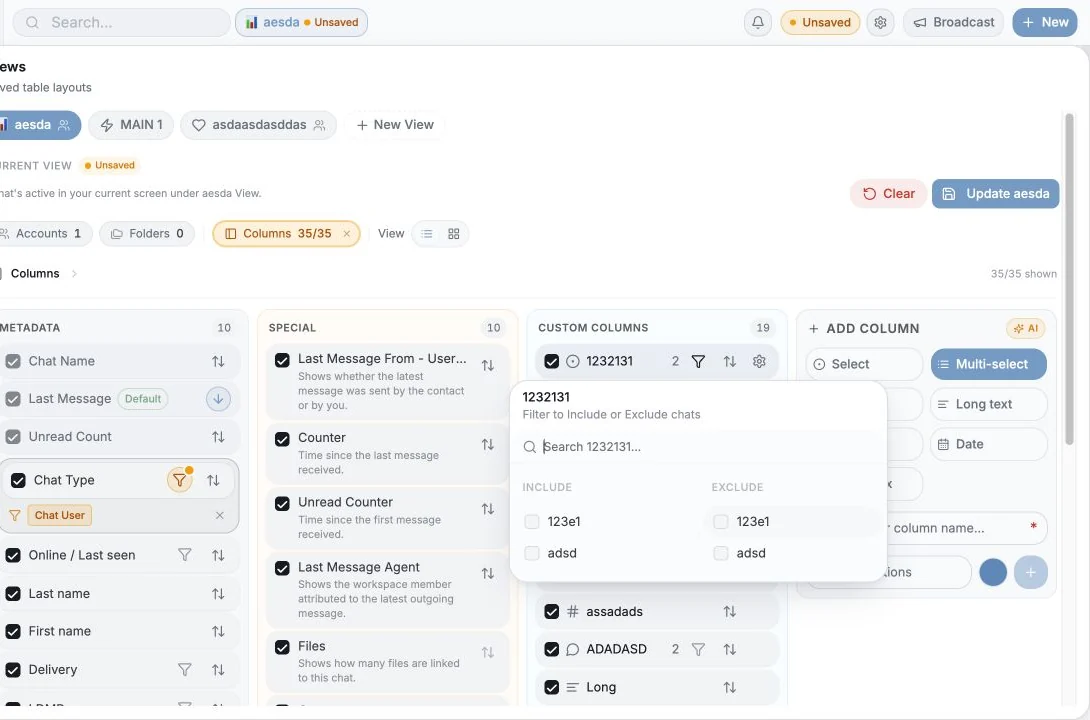
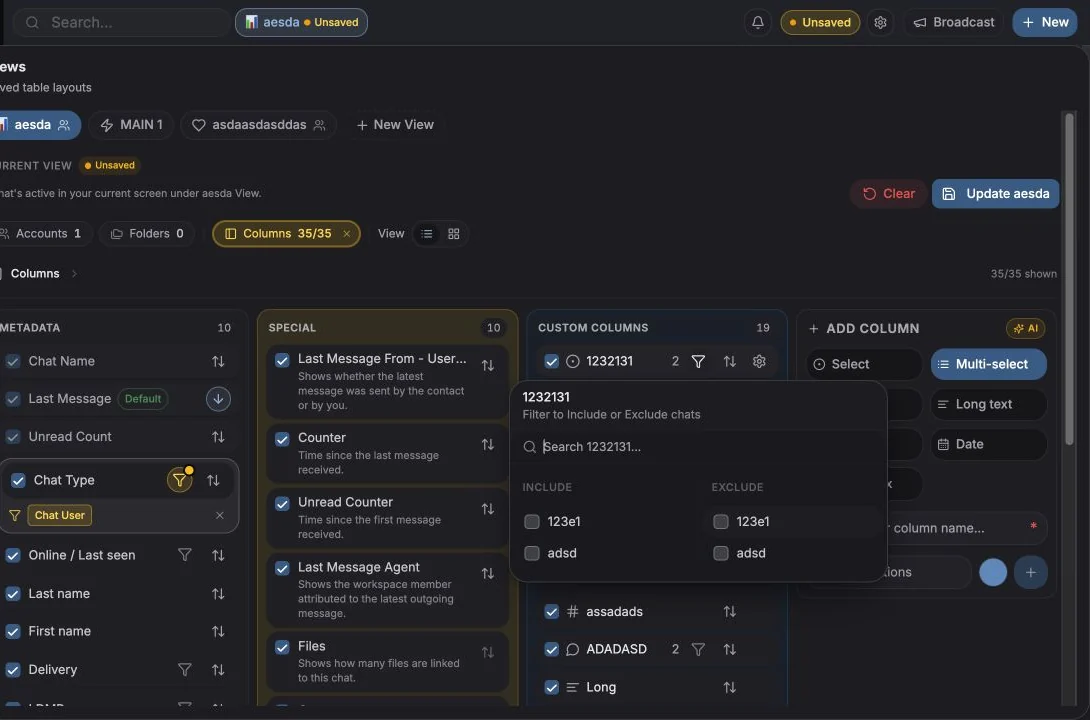
Open Columns in the table toolbar (“Filter, Sort, Hide or Create New Columns”), then Add column / Create column.
You provide:
- Name, e.g. Customer Status. Names must be unique.
- Type, see below.
- Options, for Select and Multi-select.
- Icon - optional; pick from an icon set or an emoji, with search. Default resets it.
Column types
Section titled “Column types”| Type | Use it for |
|---|---|
| Text | Short free text |
| Long text | Notes and paragraphs |
| Number | Deal value, counts, scores |
| Date | Renewal dates, next steps, deadlines |
| Select | One value from a fixed list, the only type that can drive board lanes and group-by |
| Multi-select | Several values from a list (tags) |
| Checkbox | Yes / no |
Choose Select rather than Text whenever you’ll want to group, filter or chart by the field later. Free text can’t become a board lane.
Managing options
Section titled “Managing options”For Select and Multi-select columns you manage the option list from the column’s settings (“Rename the column or manage its options”) or inline from a cell.
- Options must contain at least one letter or number.
- Options are capped at 20 characters.
- Duplicate options are rejected, “Option already exists”.
- Options carry a colour, used by the board lanes and by charts.
Adding an option from a cell is allowed while you’re filling data, so you don’t have to break flow to open settings.
Filling values
Section titled “Filling values”Edit in the table by clicking a cell, or from the Details tab of the chat panel.
Small things worth knowing:
- Saves are optimistic and retried. If a save fails after several attempts you get
“Failed to save
{field}after{n}attempts” and a Retry save action on the cell. - Values update live for everyone in the workspace, if a teammate changes a field while you’re looking at it, your cell updates.
- Cells offer Copy, and long values collapse behind View more / View less.
- You can’t edit a cell on an unopened search result, open the chat first.
Reordering, renaming and deleting
Section titled “Reordering, renaming and deleting”- Reorder by dragging in the Columns manager, or with Move up / Move down.
- Rename from the column’s menu.
- Delete from the column’s menu. This is permanent: “Delete column
{name}? … This action cannot be undone.” All values stored in that column are lost.
Permissions: only workspace owners and admins can delete or reorder columns by default. A member who lacks the right sees “Ask admin to allow edit/delete”. Owners can grant a specific member the ability to edit columns with Allow edit columns in Settings → Workspace → Members.
Bulk-filling fields
Section titled “Bulk-filling fields”Select rows, then use Add fields / Remove fields in the selection toolbar to apply a value to everything selected at once. Checkbox columns get explicit Set to Yes /
Set to No actions. You’ll be asked to confirm:
“This will add {label} to all {n} selected.”
See Bulk actions.
Measuring your fields
Section titled “Measuring your fields”Analytics → Custom fields shows how well your schema is actually being used: coverage per field, value distribution, chats tagged vs untagged, who is doing the tagging, and recent changes. Fields under 25% coverage show up as Needs Attention.
- Three columns beat thirteen. Start small; add a field only when someone asks for it twice.
- One “Stage” select is usually more useful than five checkboxes.
- Give columns icons, scanning a wide table is much faster with them.
- Ticket custom columns are a separate set, configured on the Tickets page. See Ticket fields.
การตั้งค่าคุกกี้
เราเคารพสิทธิความเป็นส่วนตัวของคุณ เลือกคุกกี้ที่ต้องการอนุญาต ตัวเลือกของคุณจะมีผลทั่วทั้งเว็บไซต์ นโยบายคุกกี้
จำเป็นต่อการทำงานของเว็บไซต์ รวมถึงการจดจำตัวเลือกความเป็นส่วนตัวของคุณ เปิดใช้งานเสมอ
ช่วยให้เราเข้าใจการใช้งานเว็บไซต์และระบุการสมัครให้กับพันธมิตรผู้แนะนำ ไม่บังคับ