Crear y mantener campos personalizados del CRM
Las columnas personalizadas son la forma de convertir una lista de chats en un CRM. Etapa de la oportunidad, responsable, prioridad, fecha de renovación, “ha firmado el NDA”: cualquier cosa que de otro modo guardaría en una hoja de cálculo.
Los valores de los campos personalizados pertenecen al chat, así que todos los que pueden llegar a ese chat ven los mismos valores. Vea Qué ven sus compañeros.
Crear una columna
Sección titulada «Crear una columna»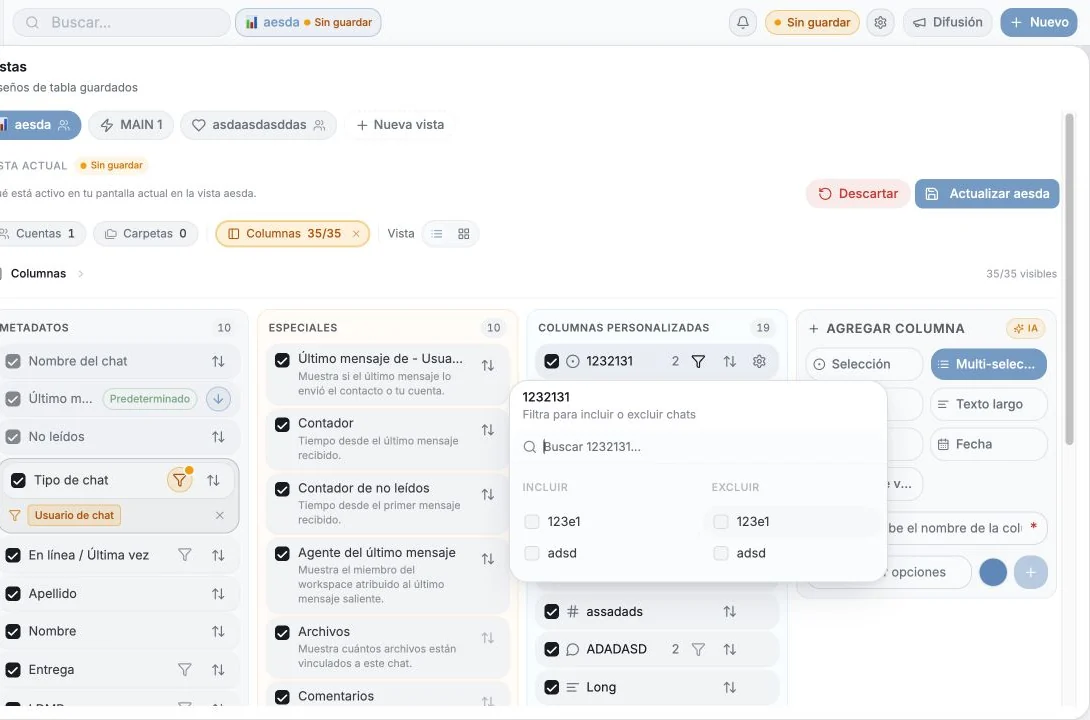
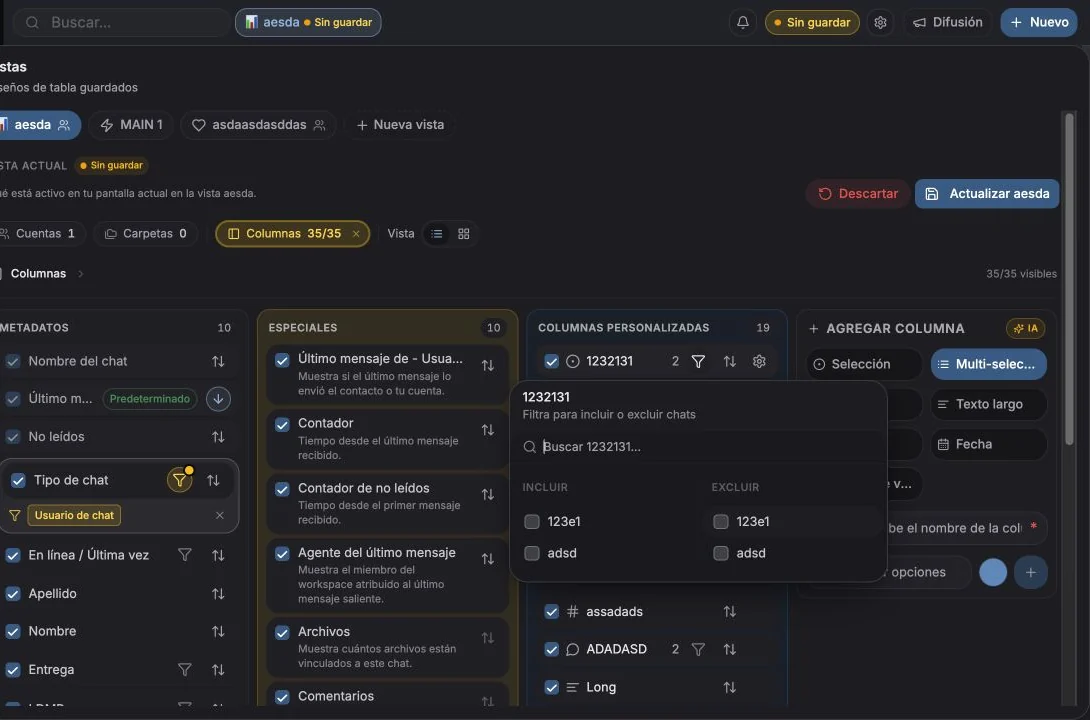
Abra Columnas en la barra de la tabla (“Filtre, ordene, oculte o cree columnas nuevas”) y después Añadir columna / Crear columna.
Usted indica:
- Nombre, por ejemplo Estado del cliente. Los nombres deben ser únicos.
- Tipo, vea más abajo.
- Opciones, para Selección y Selección múltiple.
- Icono, opcional: elija de un conjunto de iconos o un emoji, con búsqueda. Predeterminado lo restablece.
Tipos de columna
Sección titulada «Tipos de columna»| Tipo | Úselo para |
|---|---|
| Texto | Texto libre corto |
| Texto largo | Notas y párrafos |
| Número | Valor de la oportunidad, recuentos, puntuaciones |
| Fecha | Fechas de renovación, siguientes pasos, plazos |
| Selección | Un valor de una lista fija; el único tipo que puede alimentar los carriles del tablero y la agrupación |
| Multi-selección | Varios valores de una lista (etiquetas) |
| Casilla de verificación | Sí / no |
Elija Selección en lugar de Texto siempre que después vaya a querer agrupar, filtrar o graficar por ese campo. El texto libre no puede convertirse en un carril del tablero.
Gestionar las opciones
Sección titulada «Gestionar las opciones»En las columnas de Selección y Selección múltiple, la lista de opciones se gestiona desde los ajustes de la columna (“Renombre la columna o gestione sus opciones”) o directamente desde una celda.
- Las opciones deben contener al menos una letra o un número.
- Las opciones tienen un límite de 20 caracteres.
- Las opciones duplicadas se rechazan: “La opción ya existe”.
- Las opciones llevan un color, que usan los carriles del tablero y los gráficos.
Añadir una opción desde una celda está permitido mientras rellena datos, así no tiene que interrumpir el ritmo para abrir los ajustes.
Rellenar valores
Sección titulada «Rellenar valores»Edite en la tabla pulsando una celda, o desde la pestaña Detalles del panel del chat.
Detalles que conviene conocer:
- Los guardados son optimistas y se reintentan. Si un guardado falla tras varios intentos verá
“No se pudo guardar
{campo}tras{n}intentos” y una acción Reintentar guardado en la celda. - Los valores se actualizan en vivo para todo el espacio de trabajo: si un compañero cambia un campo mientras usted lo está mirando, su celda se actualiza.
- Las celdas ofrecen Copiar, y los valores largos se pliegan tras Ver más / Ver menos.
- No puede editar una celda de un resultado de búsqueda sin abrir: abra el chat primero.
Reordenar, renombrar y eliminar
Sección titulada «Reordenar, renombrar y eliminar»- Reordene arrastrando en el gestor de columnas, o con Mover arriba / Mover abajo.
- Renombre desde el menú de la columna.
- Elimine desde el menú de la columna. Es permanente: “¿Eliminar la columna
{nombre}? … Esta acción no se puede deshacer.” Se pierden todos los valores guardados en esa columna.
Permisos: de forma predeterminada, solo los propietarios y administradores del espacio pueden eliminar o reordenar columnas. Un miembro sin ese permiso ve “Pida al administrador que permita editar o eliminar”. Los propietarios pueden dar a un miembro concreto la capacidad de editar columnas con Permitir editar columnas en Configuración → Cuentas → Asientos y miembros del equipo.
Rellenar campos en masa
Sección titulada «Rellenar campos en masa»Seleccione filas y use Agregar campos / Eliminar campos en la barra de selección para aplicar un valor a todo lo seleccionado a la vez. Las columnas de casilla tienen acciones explícitas
Establecer como Sí / Establecer como No. Se le pedirá confirmación:
“Esto añadirá {etiqueta} a los {n} seleccionados.”
Vea Acciones masivas.
Medir sus campos
Sección titulada «Medir sus campos»Analítica → Campos personalizados muestra hasta qué punto se está usando de verdad su esquema: cobertura por campo, distribución de valores, chats etiquetados frente a sin etiquetar, quién está etiquetando y los cambios recientes. Los campos por debajo del 25% de cobertura aparecen como Necesita atención.
Vea Analítica de campos personalizados.
Consejos
Sección titulada «Consejos»- Tres columnas valen más que trece. Empiece con poco; añada un campo solo cuando alguien lo pida dos veces.
- Una sola selección “Etapa” suele ser más útil que cinco casillas.
- Ponga iconos a las columnas: recorrer visualmente una tabla ancha es mucho más rápido con ellos.
- Las columnas personalizadas de tickets son un conjunto aparte, configurado en la página de Tickets. Vea Campos de ticket.
Preferencias de cookies
Respetamos tu privacidad. Elige qué cookies permitir; tu elección se aplica en todo el sitio. Política de cookies
Imprescindibles para que el sitio funcione, incluido recordar tus preferencias de privacidad. Siempre activas.
Nos ayudan a entender el uso del sitio y atribuir registros a socios de referidos. Opcional.