ساخت و نگهداری فیلدهای سفارشی CRM
ستونهای سفارشی راهی هستند که فهرست چتها را به یک CRM تبدیل میکنند. مرحله معامله، مسئول، اولویت، تاریخ تمدید، «NDA امضا شده؟»، هر چیزی که در غیر این صورت در یک صفحهگسترده نگه میداشتید.
مقادیر فیلدهای سفارشی به چت تعلق دارند، پس همه کسانی که به آن چت دسترسی دارند مقادیر یکسانی میبینند. آنچه همتیمیها میبینند را ببینید.
ساختن یک ستون
بخش با عنوان «ساختن یک ستون»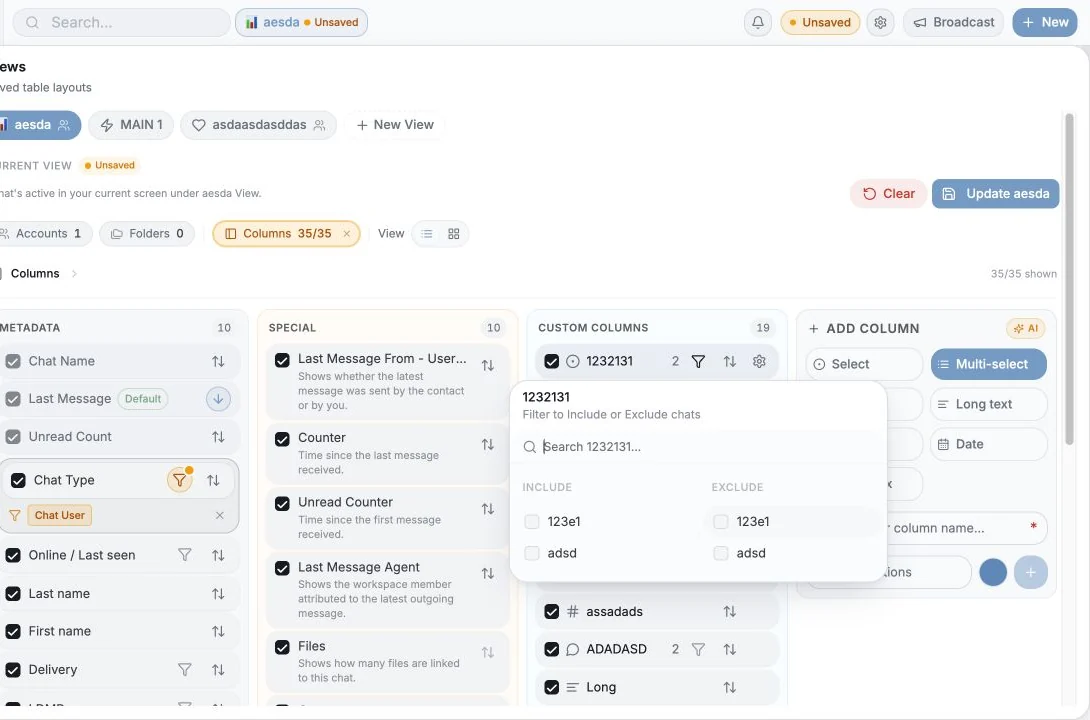
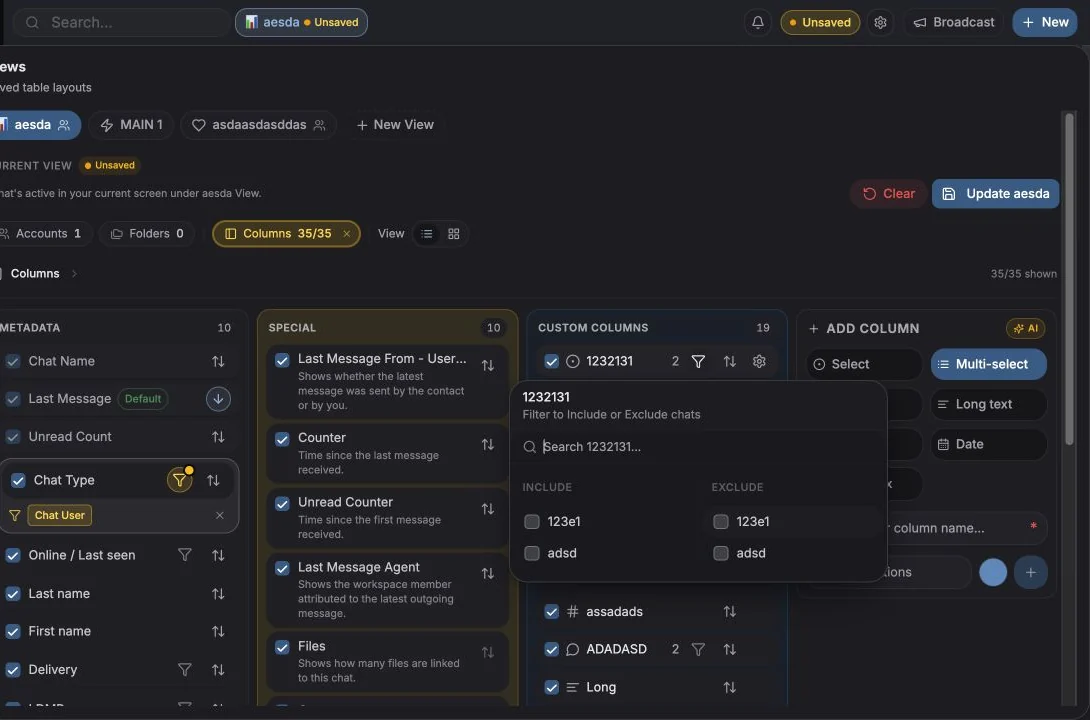
Columns را در نوار ابزار جدول باز کنید («Filter, Sort, Hide or Create New Columns»)، سپس Add column / Create column را بزنید.
این موارد را تعیین میکنید:
- Name، برای مثال Customer Status. نامها باید یکتا باشند.
- Type، پایینتر را ببینید.
- Options، برای Select و Multi-select.
- Icon، اختیاری است؛ از یک مجموعه نماد یا یک ایموجی انتخاب کنید، با امکان جستجو. Default آن را به حالت اول برمیگرداند.
انواع ستون
بخش با عنوان «انواع ستون»| نوع | کاربرد |
|---|---|
| Text | متن آزاد کوتاه |
| Long text | یادداشتها و پاراگرافها |
| Number | ارزش معامله، شمارشها، امتیازها |
| Date | تاریخهای تمدید، قدمهای بعدی، مهلتها |
| Select | یک مقدار از یک فهرست ثابت؛ تنها نوعی که میتواند ستونهای تابلو و گروهبندی را تعیین کند |
| Multi-select | چند مقدار از یک فهرست (برچسبها) |
| Checkbox | بله / خیر |
هر وقت قرار است بعداً بر اساس فیلد گروهبندی، فیلتر یا نمودار بسازید، بهجای Text از Select استفاده کنید. متن آزاد نمیتواند به یک ستون تابلو تبدیل شود.
مدیریت گزینهها
بخش با عنوان «مدیریت گزینهها»برای ستونهای Select و Multi-select، فهرست گزینهها را از تنظیمات ستون («Rename the column or manage its options») یا مستقیم از داخل یک سلول مدیریت میکنید.
- گزینهها باید دستکم یک حرف یا عدد داشته باشند.
- گزینهها حداکثر ۲۰ کاراکتر هستند.
- گزینههای تکراری پذیرفته نمیشوند: «Option already exists».
- هر گزینه یک رنگ دارد که در ستونهای تابلو و نمودارها استفاده میشود.
افزودن گزینه از داخل سلول در حین پر کردن دادهها مجاز است، پس لازم نیست برای باز کردن تنظیمات روند کارتان را قطع کنید.
پر کردن مقادیر
بخش با عنوان «پر کردن مقادیر»با کلیک روی یک سلول در جدول ویرایش کنید، یا از زبانه Details در پنل چت.
چند نکته کوچک که دانستنش میارزد:
- ذخیرهها خوشبینانه انجام میشوند و دوباره تلاش میشوند. اگر ذخیره پس از چند تلاش ناموفق بماند، پیام «Failed to save
{field}after{n}attempts» و اقدام Retry save را روی سلول میبینید. - مقادیر برای همه افراد فضای کاری زنده بهروز میشوند؛ اگر همتیمیتان فیلدی را در حالی تغییر دهد که شما به آن نگاه میکنید، سلول شما هم بهروز میشود.
- سلولها گزینه Copy دارند و مقادیر طولانی پشت View more / View less جمع میشوند.
- نمیتوانید سلول یک نتیجه جستجوی بازنشده را ویرایش کنید؛ ابتدا چت را باز کنید.
تغییر ترتیب، تغییر نام و حذف
بخش با عنوان «تغییر ترتیب، تغییر نام و حذف»- تغییر ترتیب با کشیدن در مدیر Columns، یا با Move up / Move down.
- Rename از منوی ستون.
- Delete از منوی ستون. این کار دائمی است: «Delete column
{name}? … This action cannot be undone.» (ستون{name}حذف شود؟ این کار برگشتپذیر نیست.) همه مقادیر ذخیرهشده در آن ستون از بین میروند.
مجوزها: بهطور پیشفرض فقط مالکان و مدیران فضای کاری میتوانند ستونها را حذف کنند یا ترتیبشان را تغییر دهند. عضوی که این دسترسی را ندارد پیام «Ask admin to allow edit/delete» را میبیند. مالکان میتوانند با Allow edit columns در Settings → Accounts → Seats & Team Members امکان ویرایش ستونها را به یک عضو مشخص بدهند.
پر کردن گروهی فیلدها
بخش با عنوان «پر کردن گروهی فیلدها»ردیفها را انتخاب کنید، سپس از Add fields / Remove fields در نوار ابزار انتخاب استفاده کنید تا یک مقدار را یکجا روی همه موارد انتخابشده اعمال کنید. ستونهای Checkbox اقدامات صریح
Set to Yes / Set to No دارند. از شما خواسته میشود تأیید کنید:
«This will add {label} to all {n} selected.» (این کار {label} را به همه {n} مورد انتخابشده اضافه میکند.)
اقدامات گروهی را ببینید.
سنجش فیلدها
بخش با عنوان «سنجش فیلدها»Analytics → Custom fields نشان میدهد ساختار فیلدهای شما واقعاً چقدر خوب استفاده میشود: پوشش هر فیلد، توزیع مقادیر، چتهای برچسبخورده در برابر بیبرچسب، چه کسی برچسبگذاری میکند، و تغییرات اخیر. فیلدهایی با پوشش کمتر از ۲۵٪ با برچسب Needs Attention نمایش داده میشوند.
تحلیل فیلدهای سفارشی را ببینید.
نکتهها
بخش با عنوان «نکتهها»- سه ستون بهتر از سیزده ستون است. کوچک شروع کنید؛ فقط وقتی کسی دو بار درخواستش کرد فیلدی اضافه کنید.
- یک Select به نام «Stage» معمولاً از پنج چکباکس مفیدتر است.
- به ستونها نماد بدهید؛ مرور یک جدول پهن با نمادها خیلی سریعتر است.
- ستونهای سفارشی تیکت یک مجموعه جداگانه هستند که در صفحه Tickets پیکربندی میشوند. فیلدهای تیکت را ببینید.
تنظیمات کوکی
ما به حریم خصوصی شما احترام میگذاریم. انتخاب کنید کدام کوکیها مجاز باشند, انتخاب شما در کل سایت اعمال میشود. سیاست کوکی
برای کارکرد سایت لازم است، از جمله بهخاطر سپردن تنظیمات حریم خصوصی شما. همیشه فعال.
به ما کمک میکند استفاده از سایت را درک کنیم و ثبتنامها را به شرکای ارجاع نسبت دهیم. اختیاری.