كتابة رسائل Telegram وتنسيقها وإرسالها
كل ما ترسله من Entergram يخرج من حساب Telegram الخاص بك. ويرى المستلمون رسالة عادية تمامًا.
مربع الإنشاء
Section titled “مربع الإنشاء”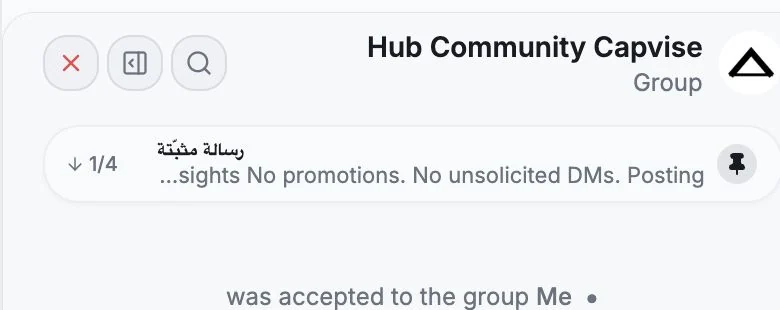
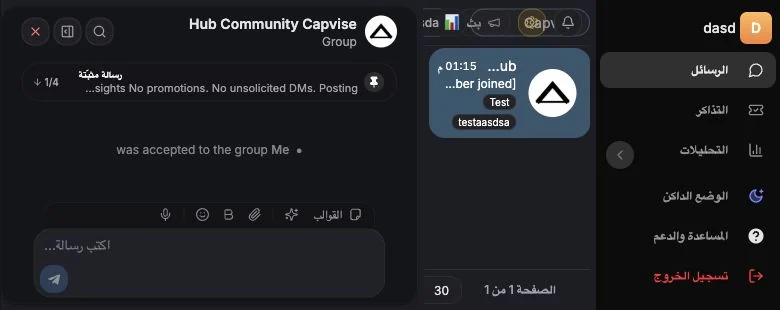
اكتب في الحقل أسفل تبويب Chat (“Write a message…”).
- شريط التنسيق، ويشمل الخط العريض والمائل والتسطير والشطب والكود والروابط. والاختصارات هي
**bold**·_italic_·<u>underline</u>·~~strike~~·`code`. - منتقي الرموز التعبيرية مع بحث، ويشمل الرموز المخصصة.
- المرفقات، أي الصور والفيديو والصوت والمستندات والرسائل الصوتية. أضف تعليقًا عبر “Add a caption (optional)…”.
- القوالب، لإدراج رد محفوظ أو كتابة أمر
/commandالخاص به. راجع القوالب. - إجراءات الذكاء الاصطناعي، وهي صياغة رد، ورد قصير، ورد ودي، وإعادة صياغة. راجع تبويب الذكاء الاصطناعي في لوحة المحادثة.
إذا فشل إرسال رسالة فسترى Failed to send مع Retry sending وDismiss وRemove message.
إجراءات الرسالة
Section titled “إجراءات الرسالة”مرر المؤشر فوق الرسالة أو اضغط عليها بالزر الأيمن:
| الإجراء | ملاحظات |
|---|---|
| Reply | رد Telegram المعتاد |
| Quote / Quote selected text | اقتباس الجزء الذي ظللته فقط |
| Create ticket | يفتح لوحة التذاكر وهذه الرسالة هي Source Message |
| Forward | انظر أدناه |
| Pin / Unpin | يتطلب صلاحيات في المحادثة |
| Add reaction | تفاعلات برموز تعبيرية، بما فيها المخصصة |
| Copy text | |
| Edit | تنطبق نافذة التعديل الخاصة بـ Telegram |
| Delete | نافذة تأكيد، وقد يكون مقيدًا، انظر أدناه |
| Show original / Show translation | عند تفعيل ترجمة الرسائل الواردة |
يمكن قفل التعديل والحذف
Section titled “يمكن قفل التعديل والحذف”بإمكان مالك مساحة العمل إيقاف خيار Members can edit and delete messages. وعندما يكون مغلقًا، لا يستطيع أعضاء المقاعد تعديل رسائل Telegram أو حذفها، بينما يحتفظ المالكون والمشرفون بالصلاحية. راجع إعدادات الصلاحيات والخصوصية.
إعادة التوجيه
Section titled “إعادة التوجيه”حدد رسالة واحدة أو أكثر واختر Forward.
في نافذة إعادة التوجيه يمكنك:
- البحث في كل المحادثات عن وجهة (اكتب حرفين على الأقل، أو رقمًا)،
- تحديد عناصر وسائط بعينها أو إلغاء تحديدها (Keep one وSelect all)،
- إضافة رسالة مع إعادة التوجيه،
- تفعيل Hide sender لإعادة التوجيه دون إظهار المرسل الأصلي،
- تفعيل Hide captions لإزالة التعليقات من الوسائط المعاد توجيهها.
وتعرض المعاينة بالضبط ما سيصل.
بدء محادثة جديدة
Section titled “بدء محادثة جديدة”يفتح زر New في شريط الأدوات نافذة “New Telegram conversation”. اختر Account الذي ستستخدمه، ثم واحدًا من ثلاثة أوضاع:
| الوضع | ما تفعله |
|---|---|
| Chat | ابحث عن أشخاص (باسم المستخدم أو الاسم أو رقم الهاتف) واضغط Open لفتح محادثة فردية |
| Group | أعطها Title وDescription، واختر الأعضاء، ثم Create |
| Channel | مثل المجموعة، لكنه ينشئ قناة بث |
إذا لم يكن لرقم الهاتف مستخدم على Telegram فسترى “No Telegram user was found for this phone number.” وعند إنشاء مجموعة، قد يتعذر دعوة بعض المستخدمين بسبب إعدادات الخصوصية لديهم، ويخبرك Entergram بعدد من تعذرت دعوتهم.
الوسائط
Section titled “الوسائط”تُعرض داخل المحادثة الصور والفيديو والصوت والرسائل الصوتية والملصقات (بما فيها المتحركة) وصور GIF والاستطلاعات وجهات الاتصال والمواقع والفواتير والملفات العامة. وفي عارض الوسائط يمكنك التكبير والتدوير ونسخ الصورة والتنزيل وإعادة التوجيه والتنقل بين الصور.
الصوت وحالة القراءة
Section titled “الصوت وحالة القراءة”- تُشغَّل الرسائل الصوتية داخل المحادثة.
- يعرض عمود Delivery حالة Delivered / Seen لآخر رسالة صادرة لك حيث يوفر Telegram حالة قراءة موثوقة.
- يتوفر Mark selected chats as read من شريط التحديد.
نسبة الرسائل (الحسابات المشتركة)
Section titled “نسبة الرسائل (الحسابات المشتركة)”إذا كان عدة زملاء يتشاركون حساب Telegram واحدًا، فعّل Show “Sent by” badges on messages في إعدادات مساحة العمل. عندها تحمل الرسائل الصادرة شارة باسم عضو مساحة العمل الذي أرسلها، ويعرض عمود Last Message Agent النسبة نفسها في الجدول.
هذا الإعداد موسوم بأنه Experimental.
Cookie preferences
We respect your right to privacy. Choose which cookies to allow, your choice applies across our site. Cookie Policy
Required for the site to work, including remembering your privacy choices. Always on.
Help us understand site use and attribute sign-ups to referral partners. Optional.