撰写、排版并发送 Telegram 消息
你从 Entergram 发出的一切,都是从你自己的 Telegram 账号发出的。收件人看到的就是一条普通消息。
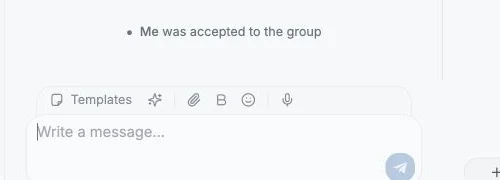
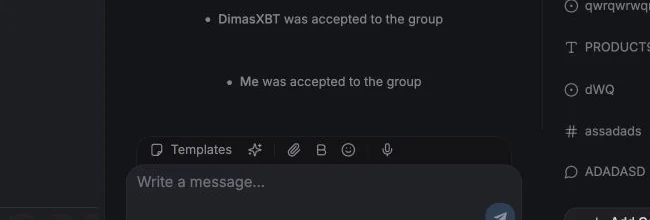
在 Chat 标签页底部的输入框里打字(“Write a message…”)。
- 排版工具栏:粗体、斜体、下划线、删除线、代码和链接。简写形式为
**bold**·_italic_·<u>underline</u>·~~strike~~·`code`。 - 表情选择器支持搜索,包括自定义表情。
- 附件:图片、视频、音频、文档和语音。可以用 “Add a caption (optional)…” 添加说明文字。
- 模板:插入一条已保存的回复,或者输入它的
/command。参见模板。 - AI 操作:Draft reply(起草回复)、Short reply(简短回复)、Casual reply(随意回复)、Rewrite(重写)。参见聊天面板中的 AI 标签页。
如果消息发送失败,你会看到 Failed to send,以及 Retry sending、Dismiss 和 Remove message。
把鼠标悬停在消息上或右键点击:
| 操作 | 说明 |
|---|---|
| Reply | 标准的 Telegram 回复 |
| Quote / Quote selected text | 只引用你选中的那一部分 |
| Create ticket | 打开工单面板,并把这条消息作为 Source Message |
| Forward | 见下文 |
| Pin / Unpin | 需要该聊天中的相应权限 |
| Add reaction | 表情回应,包括自定义表情 |
| Copy text | |
| Edit | 适用 Telegram 自身的编辑时限 |
| Delete | 会有确认对话框;可能受限,见下文 |
| Show original / Show translation | 在开启收到消息翻译时可用 |
编辑和删除可能被锁定
Section titled “编辑和删除可能被锁定”工作区所有者可以关闭 Members can edit and delete messages。关闭后,席位成员无法编辑或删除 Telegram 消息;所有者和管理员仍保留权限。参见权限与隐私设置。
选中一条或多条消息,然后选择 Forward。
在转发对话框中你可以:
- 在全部聊天中搜索目标(至少输入 2 个字符,或输入数字),
- 逐个选中或取消选中媒体项(Keep one、Select all),
- 在转发之外附带一条消息,
- 切换 Hide sender,即转发时不显示原始发送者,
- 切换 Hide captions,移除转发媒体的说明文字。
预览会准确显示最终发出的内容。
工具栏中的 New 会打开 “New Telegram conversation”。先选择要使用的 Account,然后选择三种模式之一:
| 模式 | 你要做的事 |
|---|---|
| Chat | 搜索用户(按用户名、姓名或手机号)并 Open 一个一对一聊天 |
| Group | 填写 Title 和 Description,选择成员,点 Create |
| Channel | 与 Group 相同,但创建的是广播频道 |
如果某个手机号没有对应的 Telegram 用户,你会看到 “No Telegram user was found for this phone number.” 创建群组时,部分用户可能因为隐私设置而无法被邀请,Entergram 会告诉你有多少人没能邀请成功。
图片、视频、音频、语音消息、贴纸(包括动态贴纸)、GIF、投票、联系人、位置、账单和普通文件都会内嵌渲染。在媒体查看器中你可以缩放、旋转、复制图片、下载、转发,并在图片之间切换。
语音与已读状态
Section titled “语音与已读状态”- 语音消息可以内嵌播放。
- 在 Telegram 提供可靠已读状态的情况下,Delivery 列会为你最后一条外发消息显示 Delivered / Seen。
- Mark selected chats as read 可在选择工具栏中使用。
消息归属(共享账号)
Section titled “消息归属(共享账号)”如果多位队友共用一个 Telegram 账号,可以在工作区设置中开启 Show “Sent by” badges on messages。开启后,外发消息会带上发送者所属工作区成员的名称徽章,表格中的 Last Message Agent 列也会显示同样的归属信息。
该设置被标记为 Experimental(实验性)。
Cookie preferences
We respect your right to privacy. Choose which cookies to allow, your choice applies across our site. Cookie Policy
Required for the site to work, including remembering your privacy choices. Always on.
Help us understand site use and attribute sign-ups to referral partners. Optional.