Entergram Help Center
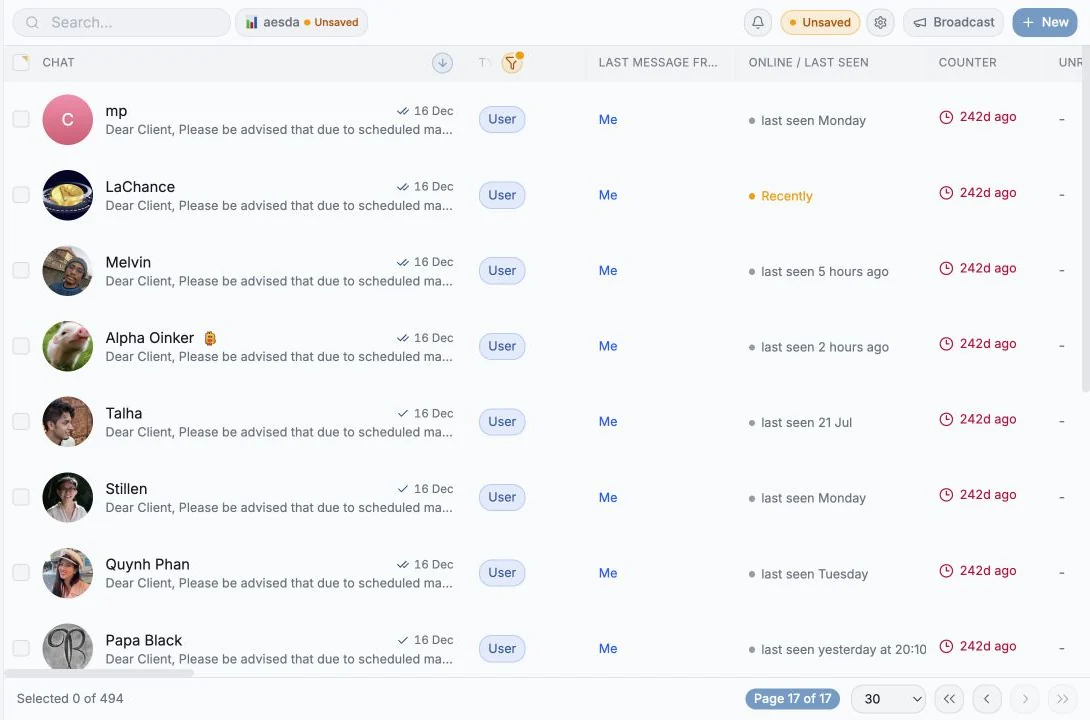
Entergram brings your Telegram accounts, CRM workflows, team support, broadcasts, tickets, and analytics into one workspace.
Use search when you know the question. Use the journeys below when you know the outcome you want.
Start here
Section titled “Start here”Popular tasks
Section titled “Popular tasks”Browse every collection
Section titled “Browse every collection”Understand the product in three ideas
Section titled “Understand the product in three ideas”- A connected account is one Telegram login. It runs on its own dedicated proxy with a unique IP, and its session is encrypted at rest.
- A workspace is where the CRM lives. Custom fields, tickets, notes, comments, views and analytics all belong to it.
- Messages stay with the account; CRM data stays with the chat. That one sentence answers most privacy questions, see What teammates can see.
A safe first-day checklist
Section titled “A safe first-day checklist”- Connect one Telegram account. Wait until the account and first chat sync show a healthy state.
- Create a private-chat view. Filter Chat Type to Chat User, choose the columns you need, and save the view.
- Open a safe test conversation. Learn the composer, Details, AI, comments, and linked-ticket tabs.
- Create one internal ticket. Assign it, change its status, add a comment, and close it.
- Read Analytics with a short range. Confirm which accounts and seats are included before comparing numbers.
Common questions
Section titled “Common questions”Can teammates read my private Telegram chats?
Section titled “Can teammates read my private Telegram chats?”Not automatically. Account ownership and workspace privacy settings determine which chats and CRM data teammates can access. Start with What teammates can see and Workspace permissions and privacy.
Why is my Telegram account disconnected or still syncing?
Section titled “Why is my Telegram account disconnected or still syncing?”Open Connection and session troubleshooting. It covers the first sync, expired sessions, reconnecting, proxies, and account health.
Why does a broadcast take a long time?
Section titled “Why does a broadcast take a long time?”Entergram spaces messages to respect Telegram rate limits and shows an ETA before sending. See Send a safe, personalized broadcast.
Why can’t I create or edit a ticket?
Section titled “Why can’t I create or edit a ticket?”The workspace owner can disable Tickets or limit member permissions. See Create and manage tickets and Workspace permissions.
Why do Analytics totals differ from the selected range?
Section titled “Why do Analytics totals differ from the selected range?”Some cards describe the current inbox or open backlog, while others follow the selected dates. The scope note on each view explains the difference. See Understand Analytics.
How do seats and extra Telegram accounts work?
Section titled “How do seats and extra Telegram accounts work?”Read Members, seats, and roles before inviting teammates or adding more connected accounts.
Plans at a glance
Section titled “Plans at a glance”| Feature | Basic (€29) | Pro (€39) | Business (€49) |
|---|---|---|---|
| 5 Telegram accounts per seat | ✓ | ✓ | ✓ |
| +€5/mo per extra account in the same seat | ✓ | ✓ | ✓ |
| Proxy with dedicated IP | ✓ | ✓ | ✓ |
| Chat reminders | ✓ | ✓ | ✓ |
| Data export | ✓ | ✓ | ✓ |
| Workspace | ✓ | ✓ | ✓ |
| Analytics | ✓ | ✓ | |
| Tickets | ✓ | ✓ | |
| API & MCP | ✓ | ✓ |
A free 3-day Pro trial auto-starts when you connect your first Telegram account. Business is coming soon.
Need help?
Section titled “Need help?”- Telegram: @hello_entergram
- Email: hello@entergram.com
Cookie preferences
We respect your right to privacy. Choose which cookies to allow, your choice applies across our site. Cookie Policy
Required for the site to work, including remembering your privacy choices. Always on.
Help us understand site use and attribute sign-ups to referral partners. Optional.