Comptes
Settings → Accounts, connectez et gérez vos comptes Telegram.
Le panneau énonce d’emblée les deux faits qui comptent :
Chaque compte Telegram fonctionne sur son propre proxy dédié avec une adresse IP unique. Entergram utilise un chiffrement de niveau industriel standard pour protéger vos comptes.
Voir Proxys et isolation IP et Comment nous protégeons vos données.
Comptes, sièges et portée du MCP
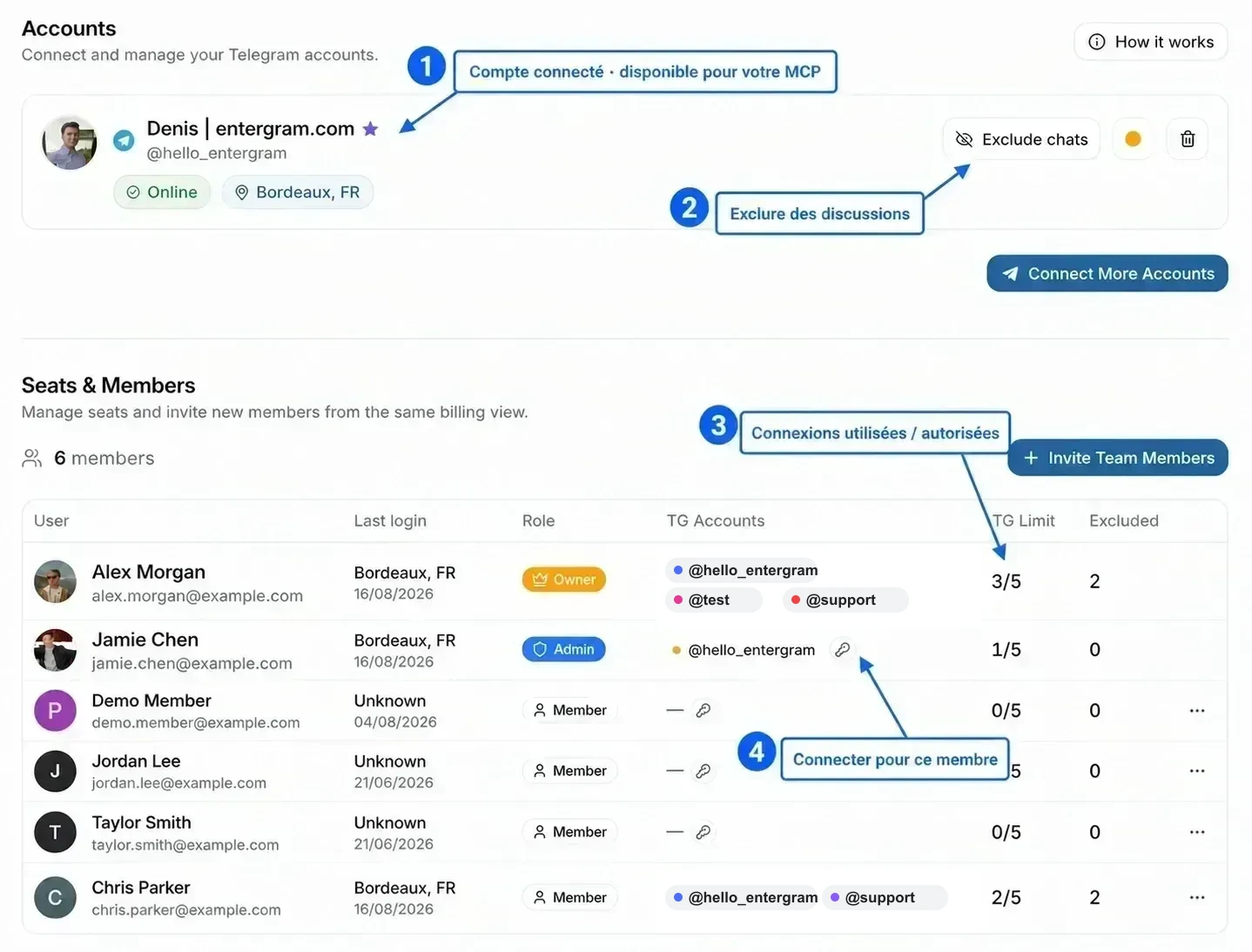
Section intitulée « Comptes, sièges et portée du MCP »Un élément sous Accounts est une véritable connexion de compte Telegram : une session Telegram authentifiée qu’Entergram peut synchroniser, afficher dans le CRM et utiliser pour envoyer des messages. C’est différent d’un siège, qui est l’appartenance à l’espace de travail Entergram attribuée à une personne.
Pour un connecteur MCP personnel, la portée Telegram concrète correspond aux comptes connectés affichés dans la section Accounts de ce membre. Les identifiants de comptes affichés ailleurs dans Seats & Members sont une vue d’ensemble pour les propriétaires et les administrateurs ; le fait qu’un compte de coéquipier y figure ne donne pas automatiquement à votre connecteur MCP personnel l’accès à ce compte. Le connecteur a toujours besoin des scopes OAuth pertinents, comme accounts.read, chats.read ou messages.write.
Sécurité des comptes officiels :
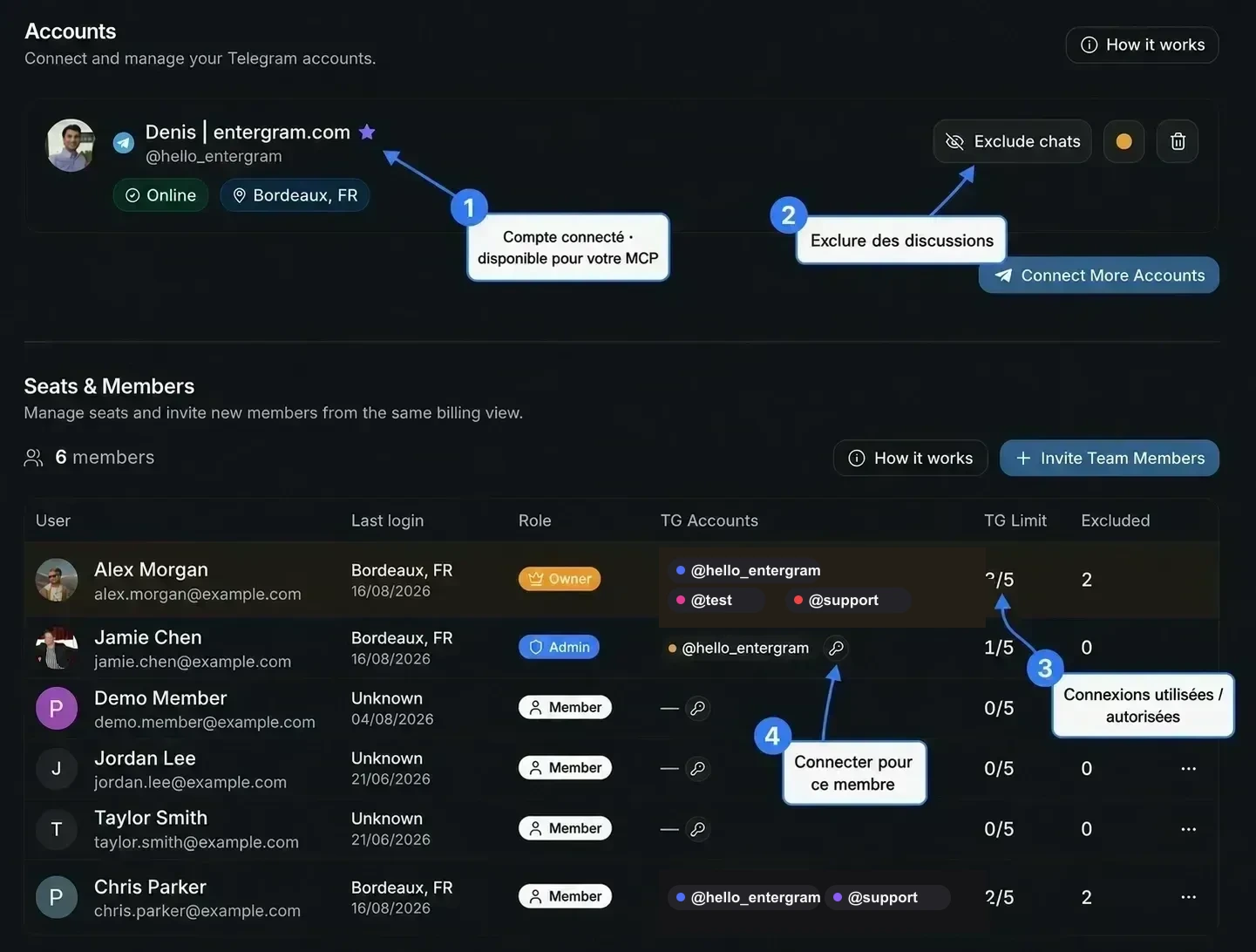
@hello_entergramest le seul nom d’utilisateur Telegram officiel d’Entergram affiché ici.@testet@supportsont des espaces réservés neutres utilisés dans cet exemple, pas des contacts du support. Vérifiez les vrais liens de contact depuis le site web d’Entergram ou depuis les points d’entrée du support dans l’application.
Voir Connecteurs MCP pour les connecteurs personnels par rapport aux connecteurs d’espace de travail et les permissions de scopes.
Emplacements de comptes

Section intitulée « Emplacements de comptes »« Telegram account slots, {used} of {count} slots. »
Les emplacements sont une capacité de comptes que vous pouvez connecter, pas des connexions actives.
Dans Seats & Members, TG Limit est affiché comme utilisées / autorisées. Par exemple, 3/5 signifie que ce siège utilise actuellement trois connexions Telegram et peut en connecter deux de plus. Ce n’est pas un quota de messages, un nombre de coéquipiers ni une limite de débit MCP.
Votre limite peut venir :
- de votre plan : les essais incluent 2 emplacements, les plans payants 5 par siège,
- des options Extra TG sur votre siège,
- d’une valeur imposée par un administrateur (« This limit was set by an admin »).
Reconnecter un compte existant ne consomme jamais d’emplacement supplémentaire.
Besoin de plus ? Increase Limit / Contact us for a custom plan.
Une carte de compte
Section intitulée « Une carte de compte »| Élément | Signification |
|---|---|
| Badge de statut | Voir le tableau ci-dessous |
| Online / Offline | Présence en direct |
| Plan Telegram | Telegram Premium ou Telegram Standard |
{n} excluded | Chats exclus sur ce compte |
| Couleur | Une couleur propre au compte, utilisée dans les badges de tout le tableau |
Badges de statut
Section intitulée « Badges de statut »| Badge | Signification | Action |
|---|---|---|
| Live Sync Ready (vert) | Connecté et en cours de synchronisation | Aucune action nécessaire |
| Shared Access (bleu) | Cette connexion Telegram est partagée avec un autre siège qui détient la connexion en direct | Aucune action nécessaire |
| Needs Migration (ambre) | Connecté via l’ancien flux ; nécessite une nouvelle authentification | Connect Live Sync |
| Reconnect Required (orange) | La connexion en direct a été perdue | Reconnect Live Sync |
| Session expired (rouge) | La session Telegram s’est terminée, fermée depuis le menu Appareils de Telegram ou invalidée par un changement de mot de passe | Reconnect Live Sync |
| Action | Ce qu’elle fait |
|---|---|
| Reconnect / Connect Live Sync | Réauthentifier le compte (le même compte Telegram est requis) |
| Exclude chats | Ouvre le gestionnaire de chats exclus pour ce compte |
| Disconnect | Arrête la synchronisation de ce compte |
Analytique
Section intitulée « Analytique »L’analytique vient avec la connexion du compte : il n’y a pas de configuration d’analytique séparée. Si votre plan inclut l’analytique (Pro, un siège Pro ou un essai), un compte connecté alimente les vues Analytique et peut envoyer des diffusions depuis les serveurs d’Entergram.
Sur les plans sans analytique, vous verrez des invitations Upgrade to Pro sur les surfaces analytiques.
Partager un compte avec un collègue
Section intitulée « Partager un compte avec un collègue »Partagez un compte Telegram avec un collègue en connectant la même identité Telegram dans deux sièges différents. Chaque siège obtient sa propre connexion Entergram vers le même compte Telegram, et la connexion consomme un emplacement Telegram dans chaque siège. Les deux coéquipiers peuvent alors exploiter la boîte de réception partagée sans partager de connexion Entergram. Détails complets dans Connecter un compte Telegram.
Comment fonctionnent les comptes (le résumé du panneau lui-même)
Section intitulée « Comment fonctionnent les comptes (le résumé du panneau lui-même) »La section How it works de cette page explique le modèle en trois lignes :
- Chaque compte est isolé, « Il fonctionne sur son propre proxy avec une IP unique et une session chiffrée. Aucun autre membre ne peut lire ses messages. »
- Partagez un compte entre plusieurs sièges, « Connectez la même identité Telegram dans le siège d’un coéquipier, vous exploitez ensuite une seule boîte de réception ensemble. »
- Les données CRM appartiennent au chat : « Les colonnes personnalisées, les tickets et les notes vivent sur le chat, pas sur le compte. Toute personne qui peut atteindre le chat les voit. »
En résumé : les messages restent avec le compte, les données CRM restent avec le chat.
Messages fréquents
Section intitulée « Messages fréquents »| Message | Quoi faire |
|---|---|
Session expired for {account}. Please disconnect and reconnect. | Reconnectez le compte |
| Account disconnected. You may need to reconnect. | Reconnectez |
You can connect up to {n} Telegram accounts | Vous n’avez plus d’emplacements : augmentez la limite ou libérez-en un |
| Only the workspace owner can manage excluded chats. | Le propriétaire a verrouillé les exclusions |
Cookie preferences
We respect your right to privacy. Choose which cookies to allow, your choice applies across our site. Cookie Policy
Required for the site to work, including remembering your privacy choices. Always on.
Help us understand site use and attribute sign-ups to referral partners. Optional.