Métriques CRM
La vue CRM vous montre l’activité des messages et la performance des réponses. Tout ce qui suit suppose Pro (ou l’essai). Sur Basic, la page se rabat sur l’Analytique des champs personnalisés (voir le bas de cet article).
Statistiques principales
Section intitulée « Statistiques principales »Quatre cartes en haut :
- Total des messages - entrants + sortants, en respectant les filtres actifs
- Taux de réponse - pourcentage de conversations déclencheuses auxquelles vous avez répondu dans la fenêtre de réponse
- Chats actifs - chats uniques avec au moins un message dans la plage
- Messages sortants - ce que vous avez envoyé
Pour les plages courtes, chaque carte porte un delta coloré par rapport à la période équivalente précédente. Chaque carte a une icône d’aide expliquant comment le nombre est calculé.
Exemple de lecture
Section intitulée « Exemple de lecture »- Plage : 7 derniers jours
- Total des messages : 1 450 (+8 % vs 7 jours précédents)
- Taux de réponse : 72,3 % (-3,1 %)
- Chats actifs : 62 (+4)
- Sortants : 610 (+12 %)
Vous envoyez plus mais répondez un peu moins souvent - il vaut la peine de creuser dans la carte Statistiques de réponse pour comprendre pourquoi.
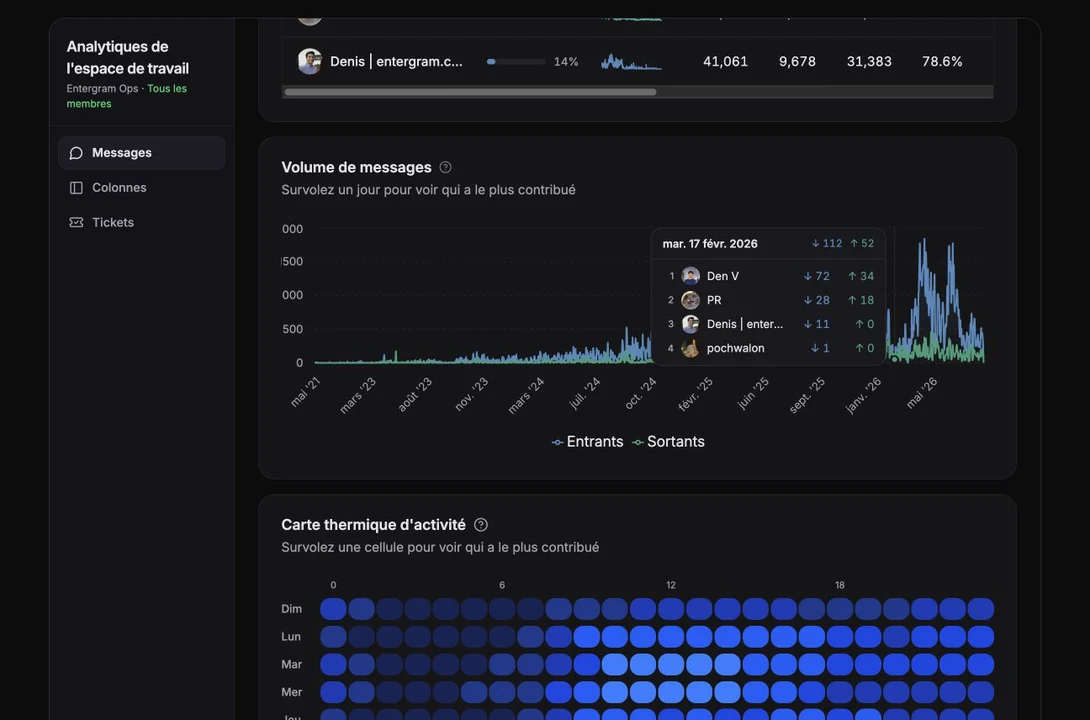
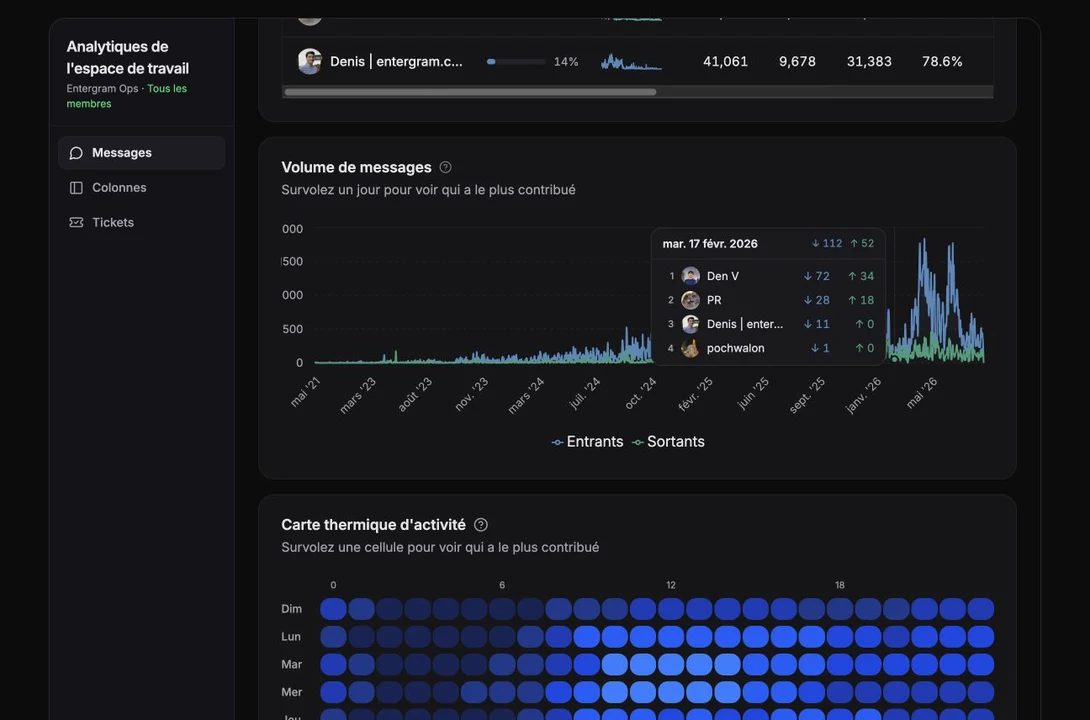
Graphique de volume de messages
Section intitulée « Graphique de volume de messages »Entrants vs sortants quotidiens en aire empilée.
- Axe X : date, formaté automatiquement selon la longueur de la plage
- Axe Y : nombre de messages
- L’infobulle montre les comptes exacts au survol
Utilisez-le pour repérer des pics soudains (campagnes, posts viraux, incidents), des motifs par jour de la semaine, ou des baisses corrélées à des congés/pannes.
Heatmap d’activité
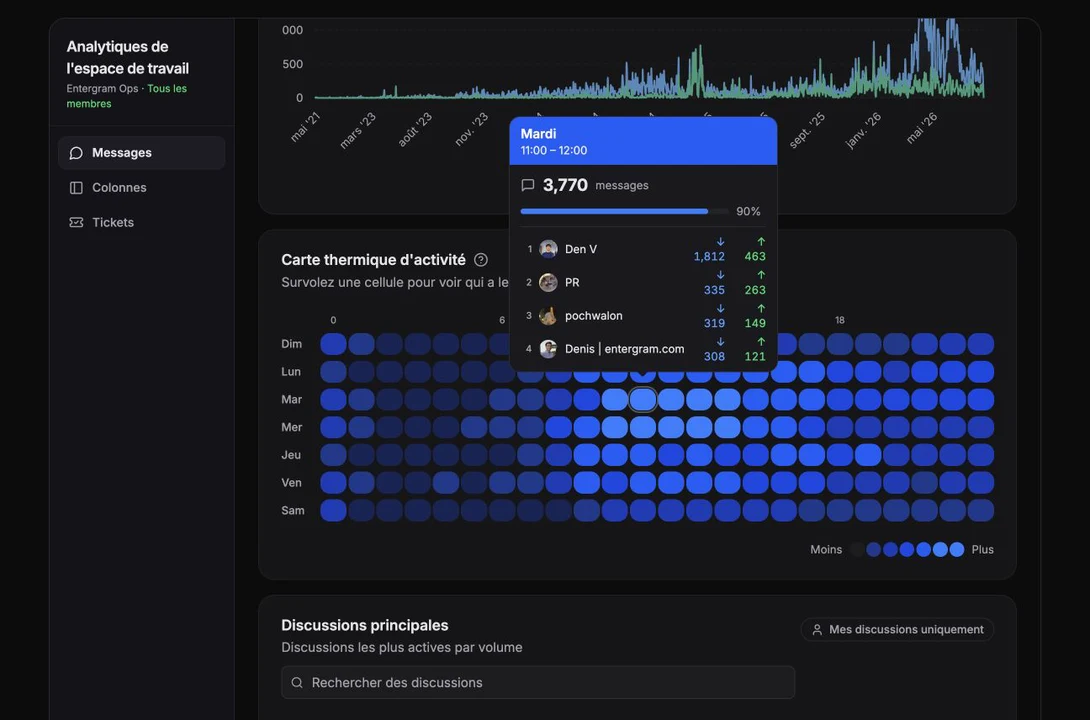
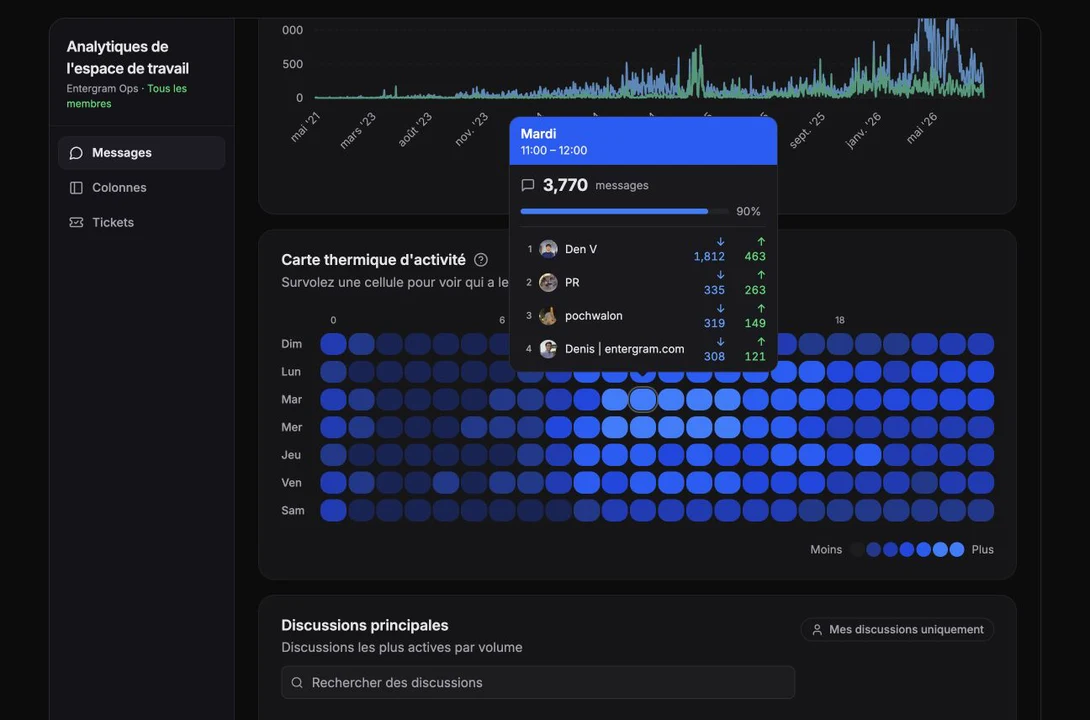
Section intitulée « Heatmap d’activité »Une grille 7 × 24 : les lignes sont les jours de la semaine, les colonnes les heures de la journée. L’intensité de couleur de la cellule = nombre de messages pour ce jour/heure.
Bascule de direction
Section intitulée « Bascule de direction »- Tous - par défaut, les deux directions
- Entrants - uniquement ce que vous avez reçu ; teinte bleue
- Sortants - uniquement ce que vous avez envoyé ; teinte verte
Cliquer sur une cellule
Section intitulée « Cliquer sur une cellule »Une modale s’ouvre montrant le jour + l’heure, le nombre exact, et le pourcentage du maximum de la heatmap (par exemple « 36 % du pic »).
Filtre par type de chat (mode personnel)
Section intitulée « Filtre par type de chat (mode personnel) »Une bascule restreint toute la page à un type de chat :
- Utilisateur - DMs 1:1
- Groupe - groupes et supergroupes
- Canal - canaux
Utile pour « à quelle fréquence est-ce que je réponds en DM uniquement ? » sans le bruit des groupes/canaux.
Statistiques de réponse
Section intitulée « Statistiques de réponse »La carte la plus opinionée de la page.
Ce qui compte comme « déclencheur »
Section intitulée « Ce qui compte comme « déclencheur » »- Chats privés - chaque message entrant est un déclencheur
- Groupes/supergroupes - seules les @mentions de vous, ou les réponses à vos messages, comptent
- Canaux - ignorés
Fenêtre de réponse
Section intitulée « Fenêtre de réponse »Les réponses dans 1 heure suivant le déclencheur comptent comme réponses. Plus tard, non.
Les trois nombres
Section intitulée « Les trois nombres »- Taux de réponse -
réponses ÷ déclencheurssur la période - Temps de réponse moyen - latence moyenne des déclencheurs traités en moins d’une heure ; les déclencheurs sans réponse réduisent le taux, sans allonger cette moyenne
- Total de conversations - combien de déclencheurs il y a eu
Lecture des deltas
Section intitulée « Lecture des deltas »- Taux de réponse en hausse = bien. En baisse = enquêter.
- Les deltas de temps de réponse sont inversés : plus bas (plus rapide) = vert, plus haut (plus lent) = rouge.
Statistiques médias
Section intitulée « Statistiques médias »Résumé du contenu non textuel dans vos conversations.
- Fichiers - total + répartition envoyés vs reçus
- Réactions - nombre + envoyées vs reçues
- Messages supprimés - nombre (le cas échéant)
- Répartition par type de média - les quelques principaux types (photo, vidéo, voix, document, sticker, GIF, audio, texte) avec comptes et % du total
Pour les plages courtes, les variations période-sur-période sont affichées pour les fichiers et réactions.
Top chats
Section intitulée « Top chats »Une liste classée d’au plus 20 chats, triée par nombre total de messages.
Chaque ligne affiche : rang, avatar, nom du chat, nombre total de messages, petite barre envoyés/reçus, badge de messages supprimés le cas échéant.
Cliquabilité - si la page est limitée à un seul compte, cliquer sur une ligne ouvre une boîte de dialogue Analytique du chat avec stats d’aperçu, tendance de formation de nouveaux chats, ventilation des messages par type, et activité par compte. Avec plusieurs comptes en contexte, les lignes sont uniquement informatives.
Analytique des champs personnalisés (vue de repli Basic)
Section intitulée « Analytique des champs personnalisés (vue de repli Basic) »Si vous n’avez pas l’accès analytique de niveau Pro, la page Analytique se charge quand même - mais vous voyez cette vue au lieu des tableaux de bord de messages.
Ce qu’elle montre :
- Couverture des champs - quel % de vos contacts ont chaque champ personnalisé renseigné
- Distribution des valeurs - diagrammes en camembert pour les champs sélection et multi-sélection
- Heatmap des modifications - quand les champs ont été modifiés, par jour/heure
- Chronologie des modifications récentes - qui a modifié quoi, quand
Cette vue est réellement utile sur tout plan pour comprendre la forme de votre base de contacts.
Cookie preferences
We respect your right to privacy. Choose which cookies to allow, your choice applies across our site. Cookie Policy
Required for the site to work, including remembering your privacy choices. Always on.
Help us understand site use and attribute sign-ups to referral partners. Optional.