Entergram MCP
https://mcp.entergram.com/mcpAutoryzowane osobiste konta Telegram, czaty, wiadomości i nadzorowane działania.
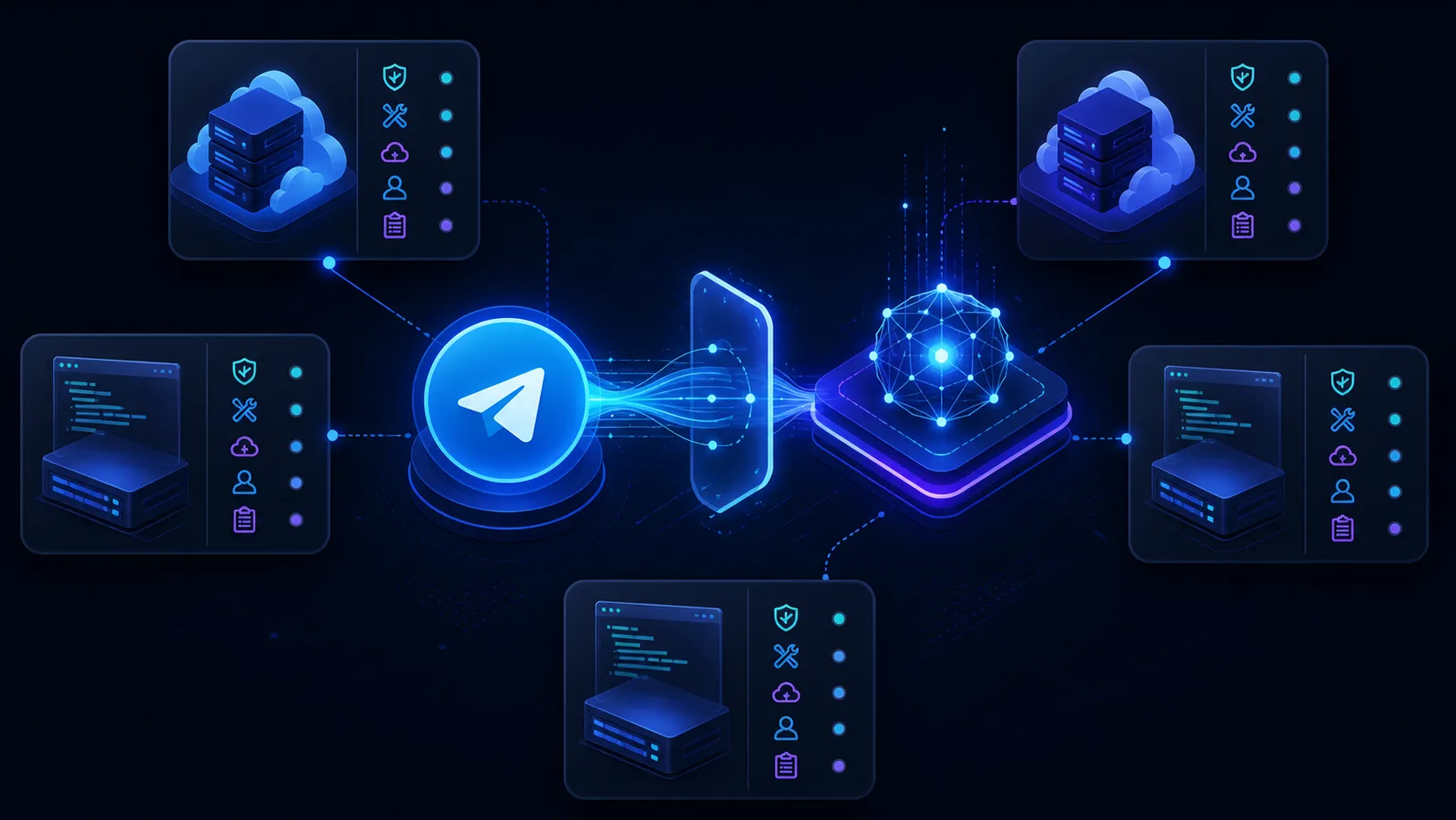
Przepływ MCP z dwoma serwerami
Daj jednemu zgodnemu klientowi dwie wyraźne granice narzędzi: Entergram MCP działa na autoryzowanych osobistych kontach Telegram, a Notion MCP działa wyłącznie w osobno autoryzowanym środowisku Notion.
Architektura
https://mcp.entergram.com/mcpAutoryzowane osobiste konta Telegram, czaty, wiadomości i nadzorowane działania.
Claude · Cursor · ChatGPT · MCP clientsWybiera narzędzia, stosuje się do instrukcji operacyjnej i prosi o zatwierdzenie tam, gdzie wymaga tego polityka.
https://mcp.notion.com/mcpDane i działania Notion autoryzowane przez użytkownika, udostępniane przez oficjalny serwer MCP Notion.
Konfiguracja
 Adres URL serwera MCP
 https://mcp.entergram.com/mcpW Entergram otwórz Ustawienia → Przestrzeń robocza → Konektory → MCP i skopiuj https://mcp.entergram.com/mcp
Dodaj własny konektor w Claude, ChatGPT, Grok lub innej aplikacji MCP i wklej adres URL.
Kliknij Połącz, zaloguj się kontem Entergram, sprawdź, o co prosi aplikacja, i kliknij Zezwól na dostęp.
Dodaj https://mcp.notion.com/mcp jako osobny serwer i przejdź aktualny proces autoryzacji Notion. Przyznaj tylko te obszary robocze i działania, których potrzebuje rutyna.
Przed każdym zapisem ustal konto Telegram i docelowe miejsce w Notion. Potwierdź oba stabilne identyfikatory i zatrzymaj się przy niejednoznacznym dopasowaniu.
Koncepcyjna konfiguracja wielu serwerów
{
  "mcpServers": {
    "entergram": {
      "url": "https://mcp.entergram.com/mcp"
    },
    "notion": {
      "url": "https://mcp.notion.com/mcp"
    }
  }
}
Klucze konfiguracji i procesy autoryzacji różnią się w zależności od klienta. Korzystaj z aktualnej dokumentacji klienta, Notion i Entergram.
Rutyny o dużej wartości
Zapis decyzji
Odczytaj tylko oznaczoną wiadomość, ustal projekt i docelowe źródło danych, wyszukaj istniejący element, a następnie zaproponuj jeden uporządkowany wiersz z właścicielem, datą, statusem i odwołaniem do źródła.
Zabezpieczenie: Zapisz ID wiadomości Telegram i ID powstałej strony Notion; niejednoznaczne miejsca docelowe zatrzymują przepływ do weryfikacji.
Procesy dla konkretnej platformy
Entergram tworzy dla niego wiersz na powiązanej stronie Notion, ze zmapowanymi polami.
Zabezpieczenie: Najpierw określ zakres synchronizacji, bo każde nowe ID czatu tworzy wiersz.
Procesy dla konkretnej platformy
Powiązany czat w Entergram odzwierciedla zmianę, więc CRM i widok w Notion się nie rozjeżdżają.
Zabezpieczenie: Wracają tylko pola zmapowane na kolumny Entergram.
Procesy dla konkretnej platformy
Odpowiednia właściwość aktualizuje się w istniejącym wierszu Notion.
Zabezpieczenie: Dopasowuj po Telegram ID lub nazwie użytkownika, nigdy po wyświetlanej nazwie.
Procesy dla konkretnej platformy
Synchronizowana baza danych leży obok reszty Notion i pozostaje aktualna bez ręcznego kopiowania.
Zabezpieczenie: Notion przechowuje rekord czatu, a nie zapis rozmowy.
Model bezpieczeństwa
Połączenie z Notion widzi tylko strony, które mu wyraźnie udostępniono, więc stronę docelową trzeba udostępnić przed pierwszą synchronizacją.
Synchronizacja obejmuje rekord czatu i jego zmapowane pola. To nie jest archiwum wiadomości i nie odwzorowuje historii rozmów.
Schematy i ID właściwości w Notion różnią się między obszarami roboczymi, więc typy właściwości muszą pasować do kolumn Entergram, na które są mapowane.
Synchronizacja dwukierunkowa zaczyna działać po powiązaniu czatu z wierszem. Niepowiązane ID czatu tworzy nowy wiersz zamiast aktualizować istniejący.
Wyświetlane nazwy się zmieniają, więc dopasowanie odbywa się po Telegram ID lub nazwie użytkownika. ID jest bezpieczniejszym kluczem, bo nazwy użytkowników też mogą się zmienić.
Natywna integracja i hostowany Notion MCP to osobne ścieżki autoryzacji.
Nigdy nie umieszczaj danych uwierzytelniających Notion ani Entergram w promptach ani w konfiguracji objętej kontrolą wersji.
Granica intencji
Połącz wiele osobistych kont Telegram z platformą Notion: Ogólna strona integracji obejmuje sposoby połączenia, API, platformy automatyzacji, mapowanie pól i deterministyczne przepływy.
Ta strona dotyczy węższej intencji Notion Telegram MCP: endpointów, orkiestracji klienta, zakresów, promptów, granic zatwierdzania i bezpieczeństwa między serwerami.
Oficjalne źródła
Szczegóły techniczne sprawdzono 31 sierpnia 2026 r. Endpointy, narzędzia, obsługa klientów i sposób autoryzacji mogą się zmienić.
Najczęstsze pytania
Czytaj dalej
Każda aplikacja ma własną stronę konfiguracji. Adres URL i logowanie są wszędzie takie same.
Daj jednemu zgodnemu klientowi dwie wyraźne granice narzędzi: Entergram MCP działa na autoryzowanych osobistych kontach Telegram, a Stripe MCP działa wyłącznie w osobno autoryzowanym środowisku Stripe.
Daj jednemu zgodnemu klientowi dwie wyraźne granice narzędzi: Entergram MCP działa na autoryzowanych osobistych kontach Telegram, a Slack MCP działa wyłącznie w osobno autoryzowanym środowisku Slack.
Dodaj Entergram jako niestandardowy konektor MCP w Claude lub Claude Code i rozmawiaj ze swoim prawdziwym kontem Telegram zwykłym językiem: znajdź przeoczone wiadomości, klientów, którzy wciąż czekają na odpowiedź, i okazje, które ucichły.
Podłącz Entergram do ChatGPT jako niestandardowy konektor MCP i obsługuj swoje prawdziwe konto Telegram w rozmowie: wyłapuj przeoczone wiadomości i klientów czekających na odpowiedź, a odpowiedzi szkicuj bez wychodzenia z ChatGPT.
Zarejestruj Entergram jako serwer MCP w Cursor, Zed lub Windsurf i docieraj do swojego prawdziwego konta Telegram z edytora: sprawdzaj przeoczone wiadomości i klientów, którzy na ciebie czekają, bez wybijania się z rytmu pracy.
Praktyczne poradniki
MCP jest dostępne w planie Pro. Wypróbuj Entergram za darmo przez 3 dni, bez karty kredytowej.
Szanujemy Państwa prawo do prywatności. Prosimy wybrać, na które pliki cookie wyrażają Państwo zgodę. Wybór obowiązuje w całej witrynie. Polityka plików cookie
Wymagane do działania witryny, w tym do zapamiętania Państwa wyborów dotyczących prywatności. Zawsze włączone.
Pomagają nam zrozumieć korzystanie z witryny i przypisać rejestracje do partnerów polecających. Opcjonalne.