ساخت و استفاده دوباره از قالبهای پاسخ
قالبها پیامهای قابل استفاده دوباره هستند. یک بار بنویسیدشان و هرجا خواستید درج کنید: در نوشتار چت یا در پنجره ارسال همگانی.
ساختن یک قالب
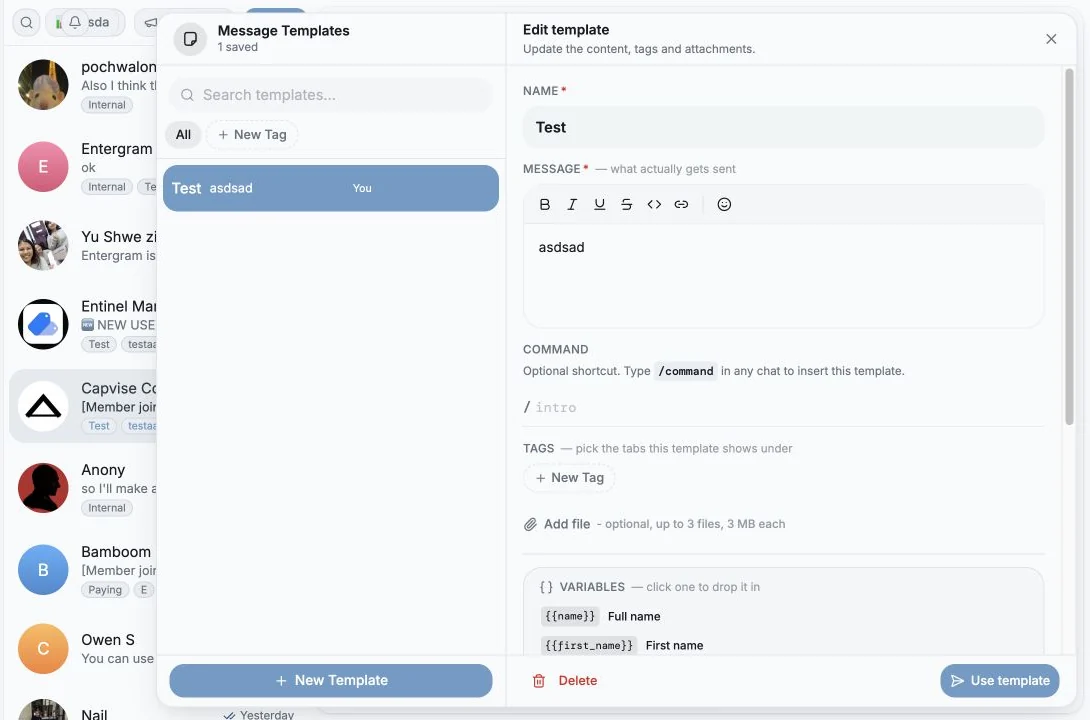
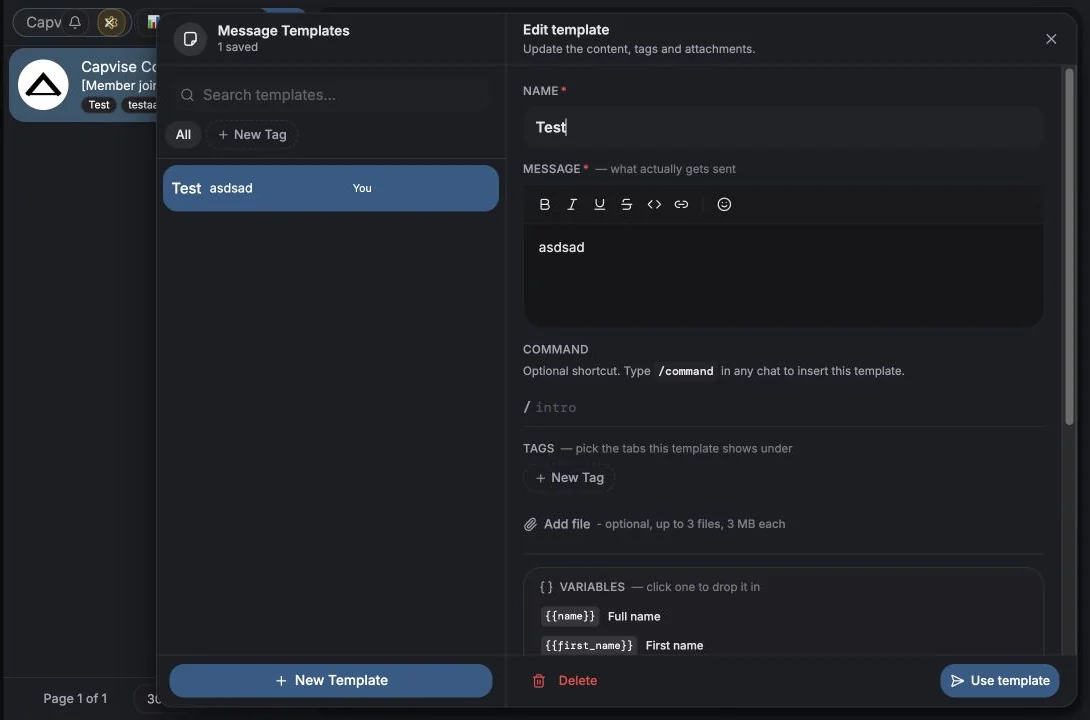
بخش با عنوان «ساختن یک قالب»Templates را از نوشتار یا از پنجره ارسال همگانی باز کنید، سپس New Template را بزنید.
| فیلد | توضیح |
|---|---|
| Name | مثلاً پیام خوشآمد |
| Content | بدنه پیام. همان قالببندی نوشتار و متغیرهای ارسال همگانی را پشتیبانی میکند |
| Command | میانبر اختیاری. اگر intro را تنظیم کنید، تایپ /intro در هر چتی این قالب را درج میکند |
| Labels | برچسبهای آزاد برای فیلتر کردن. یک برچسب تایپ کنید و Enter بزنید؛ با ساختن کتابخانه، پیشنهادها ظاهر میشوند |
| Attachments | فایلهای اختیاری، تا سقف تعداد و حجم هر قالب که همانجا نشان داده میشود |
استفاده از یک قالب
بخش با عنوان «استفاده از یک قالب»- در یک چت، انتخابگر قالب را باز کنید و روی یکی کلیک کنید، یا
/commandآن را تایپ کنید. - در یک ارسال همگانی، گزینه Templates در پنجره ارسال همگانی.
متغیرهای داخل قالب هنگام ارسال برای هر گیرنده جداگانه جایگزین میشوند، پس یک قالب به همه با نام خودشان سلام میکند.
پیدا کردن قالبها
بخش با عنوان «پیدا کردن قالبها»انتخابگر «{n} saved» را نشان میدهد و اینها را پشتیبانی میکند:
- Search بر اساس نام یا محتوا،
- فیلترهای برچسب با All و Clear،
- نشان Default روی قالب پیشفرض سنجاقشده شما،
- تعداد پیوستها (
{n}files) و فهرست متغیرهای هر قالب، - by You یا نام سازنده، تا کتابخانههای مشترک قابل انتساب بمانند.
قالبهای شخصی در برابر مشترک
بخش با عنوان «قالبهای شخصی در برابر مشترک»با تنظیم فضای کاری Share broadcast templates کنترل میشود:
| تنظیم | اثر |
|---|---|
| On | قالبها در سراسر فضای کاری به اشتراک گذاشته میشوند. فقط سازنده میتواند یک قالب را ویرایش یا حذف کند. فضای ذخیره پیوستها میان صندلیها مشترک است. |
| Off | قالبها شخصی هر عضو هستند. |
میزان مصرف فضای ذخیرهسازی برای هر قالب و هر عضو در Settings → Data → Storage دیده میشود. به ذخیرهسازی و محدودیتها نگاه کنید.
مدیریت برچسبها
بخش با عنوان «مدیریت برچسبها»در انتخابگر، منوی هر برچسب گزینههای Rename label و Delete label را دارد. حذف، آن برچسب را از همه قالبها برمیدارد و برگشتپذیر نیست.
ویرایش و حذف
بخش با عنوان «ویرایش و حذف»یک قالب را باز کنید و از Save changes یا Delete استفاده کنید. حذف این را میپرسد:
«Delete “{name}”? This can’t be undone.» اگر قالبها مشترک باشند، فقط سازنده گزینه حذف را میبیند و بقیه «Only the creator can delete» را میبینند.
بهداشت خوب قالبها
بخش با عنوان «بهداشت خوب قالبها»- یک قالب Default را برای رایجترین جمله آغازینتان سنجاق نگه دارید.
- از برچسبها بر اساس مرحله قیف (
cold،follow-up،renewal) استفاده کنید، نه بر اساس افراد. - طوری بنویسید که نبود متغیر مشکلی نسازد:
{{username}}برای مخاطبان بدون نام کاربری به هیچ تبدیل میشود، پس هرگز جملهای نسازید که بدون آن بشکند. - پیش از ارسال یک قالب در مقیاس بزرگ، پیشنمایش ارسال همگانی را با یک گیرنده واقعی بررسی کنید.
تنظیمات کوکی
ما به حریم خصوصی شما احترام میگذاریم. انتخاب کنید کدام کوکیها مجاز باشند, انتخاب شما در کل سایت اعمال میشود. سیاست کوکی
برای کارکرد سایت لازم است، از جمله بهخاطر سپردن تنظیمات حریم خصوصی شما. همیشه فعال.
به ما کمک میکند استفاده از سایت را درک کنیم و ثبتنامها را به شرکای ارجاع نسبت دهیم. اختیاری.