Entergram MCP
https://mcp.entergram.com/mcpAccount Telegram personali autorizzati, chat, messaggi e azioni governate.
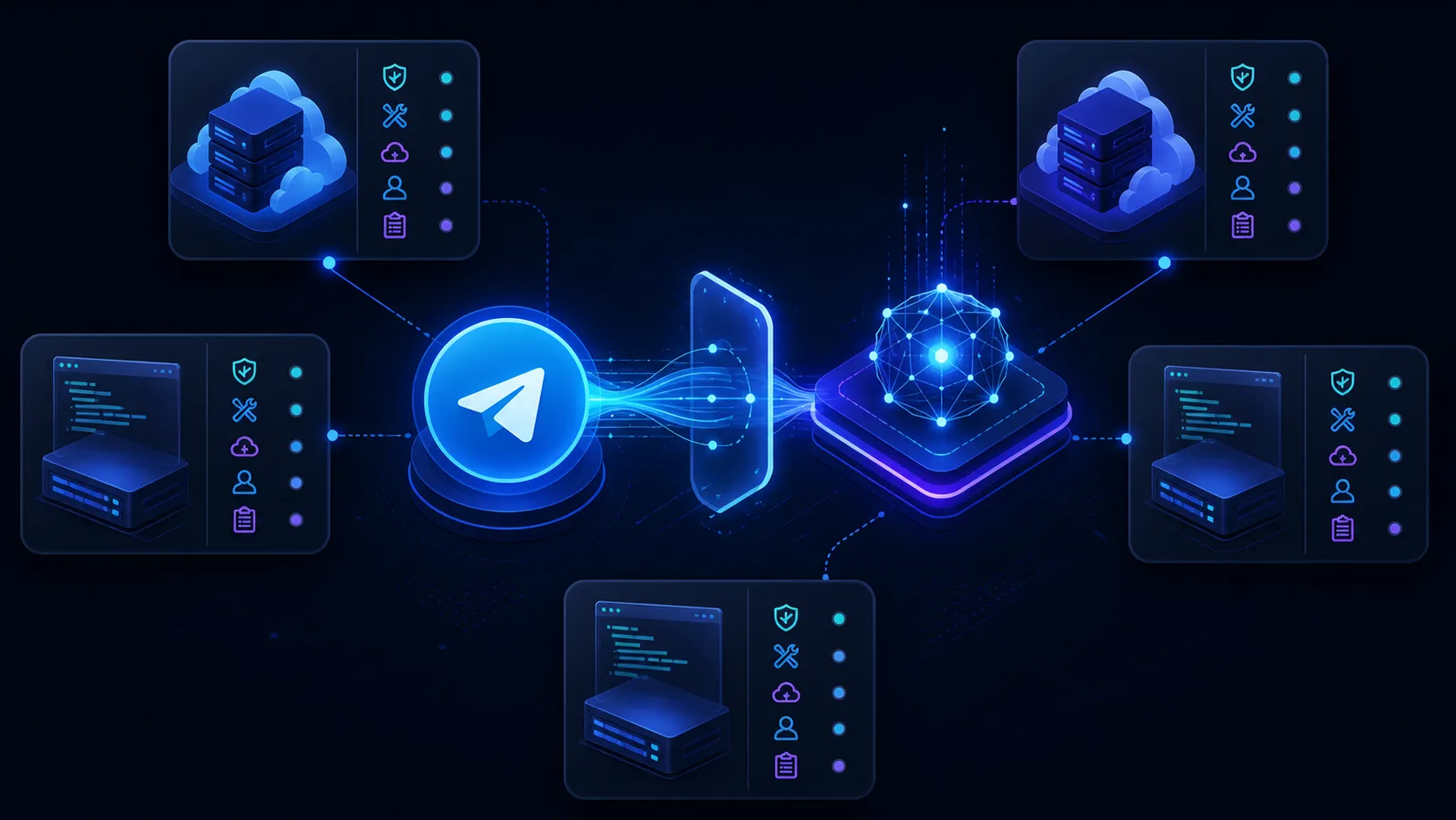
Flusso MCP con due server
Dai a un client compatibile due confini di strumenti espliciti: Entergram MCP lavora con gli account Telegram personali autorizzati, mentre Slack MCP lavora solo nell'ambiente Slack autorizzato separatamente.
Architettura
https://mcp.entergram.com/mcpAccount Telegram personali autorizzati, chat, messaggi e azioni governate.
Claude · Cursor · ChatGPT · MCP clientsSceglie gli strumenti, segue le istruzioni operative e chiede approvazione quando la policy lo richiede.
https://mcp.slack.com/mcpDati e azioni Slack autorizzati dall'utente ed esposti dal server MCP ufficiale di Slack.
Configurazione
 URL del server MCP
 https://mcp.entergram.com/mcpIn Entergram apri Impostazioni → Spazio di lavoro → Connettori → MCP e copia https://mcp.entergram.com/mcp
Aggiungi un connettore personalizzato in Claude, ChatGPT, Grok o un'altra app MCP e incolla l'URL.
Fai clic su Connetti, accedi con il tuo account Entergram, controlla cosa chiede l'app e fai clic su Consenti accesso.
Aggiungi https://mcp.slack.com/mcp come server separato e completa il flusso di autorizzazione attuale di Slack. Concedi solo lo spazio di lavoro e le azioni che servono alla routine.
Individua l'account Telegram e la destinazione Slack prevista prima di qualsiasi scrittura. Conferma entrambi gli ID stabili e fermati in caso di corrispondenza ambigua.
Configurazione concettuale con più server
{
  "mcpServers": {
    "entergram": {
      "url": "https://mcp.entergram.com/mcp"
    },
    "slack": {
      "url": "https://mcp.slack.com/mcp"
    }
  }
}
Le chiavi di configurazione e i flussi di autorizzazione variano da client a client. Segui la documentazione aggiornata del client, di Slack e di Entergram.
Routine ad alto valore
Escalation
Leggi il messaggio Telegram governato, scegli il canale Slack approvato, crea o aggiorna un thread con un riepilogo conciso e conserva la mappatura necessaria per restituire una risposta approvata.
Salvaguardia: Non esportare chat private non pertinenti; associa gli ID di chat e messaggio Telegram al canale Slack e al timestamp del thread.
Flussi specifici per piattaforma
Entergram inoltra in quel canale ogni chat Telegram a cui quella postazione ha accesso.
Salvaguardia: Tieni il canale privato e l'accesso al canale ristretto quanto l'accesso agli account.
Flussi specifici per piattaforma
Pubblica un riepilogo ripulito con responsabile e link alla fonte.
Salvaguardia: Costruiscilo sull'MCP o sull'API di Entergram in n8n o nel tuo servizio. L'app nativa si limita a inoltrare.
Flussi specifici per piattaforma
Imposta la conservazione di Slack sul canale di audit in base a quel periodo.
Salvaguardia: Prova un'eliminazione lato Telegram prima di citare il canale come prova.
Modello di sicurezza
Ogni membro del team collega il proprio Slack, e l'instradamento è un canale per postazione, non uno per account Telegram.
L'inoltro va in una sola direzione: niente di ciò che viene scritto in Slack viene inviato a Telegram.
Slack è uno spazio interno di registrazione, non una inbox Telegram sostitutiva.
Chiunque sia nel canale può leggere ogni chat inoltrata lì, quindi l'accesso al canale va gestito con attenzione.
Non è ancora confermato cosa succeda alla copia in Slack dopo che un messaggio viene eliminato lato Telegram.
Slack MCP ed Entergram MCP richiedono autorizzazioni, scope e controlli di audit separati.
Il canale vale come registro solo quanto la politica di conservazione di Slack che gli si applica.
Non inserire mai credenziali Slack o Entergram nei prompt o in configurazioni sotto controllo di versione.
Confine di intento
Collega più account Telegram personali a Slack: La pagina di integrazione generale copre le scelte di connessione, le API, le piattaforme di automazione, la mappatura dei campi e i flussi deterministici.
Questa pagina copre l'intento più specifico Slack Telegram MCP: endpoint, orchestrazione del client, ambiti, prompt, confini di approvazione e sicurezza tra server.
Fonti ufficiali
Dettagli tecnici verificati il 31 agosto 2026. Endpoint, strumenti, supporto dei client e comportamento delle autorizzazioni possono cambiare.
Domande frequenti
Continua a esplorare
Ogni app ha la sua pagina di configurazione. L'URL e l'accesso sono gli stessi ovunque.
Dai a un client compatibile due confini di strumenti espliciti: Entergram MCP lavora con gli account Telegram personali autorizzati, mentre Notion MCP lavora solo nell'ambiente Notion autorizzato separatamente.
Dai a un client compatibile due confini di strumenti espliciti: Entergram MCP lavora con gli account Telegram personali autorizzati, mentre Stripe MCP lavora solo nell'ambiente Stripe autorizzato separatamente.
Aggiungi Entergram come connettore MCP personalizzato in Claude o Claude Code e parla con il tuo vero account Telegram in linguaggio naturale: trova i messaggi che ti sono sfuggiti, i clienti a cui hai dimenticato di rispondere e le opportunità che si sono spente.
Collega Entergram a ChatGPT come connettore MCP personalizzato e gestisci il tuo vero account Telegram semplicemente chattando: fai emergere i messaggi persi e i clienti in attesa di risposta, e prepara le risposte senza uscire da ChatGPT.
Registra Entergram come server MCP in Cursor, Zed o Windsurf e raggiungi il tuo vero account Telegram dall'editor: controlla i messaggi persi e i clienti che ti aspettano senza perdere la concentrazione.
Guide pratiche
MCP è incluso nel piano Pro. Prova Entergram gratis per 3 giorni, senza carta di credito.
Rispettiamo il tuo diritto alla privacy. Scegli quali cookie consentire, la tua scelta vale su tutto il sito. Informativa sui cookie
Indispensabili al funzionamento del sito, incluso il ricordo delle tue scelte sulla privacy. Sempre attivi.
Ci aiutano a capire l'uso del sito e ad attribuire le registrazioni ai partner di referral. Facoltativi.